
Gimbal vs OIS vs EIS: What Actually Stabilizes Your Video Better?
All contemporary mobile phones are equipped with a certain degree of stabilization. Optical image stabilization is employed on Apple's iPhones. With the Galaxy line-up, Samsung has been using OIS and electronic stabilization together. The Pixels are heavily software-corrected. This is a question that often gets asked: If my cellphone stabilizes video, why should I use a gimbal?
This is a good question, and the answer is that it really depends on the kind of shots you are taking. If you are recording for a casual occasion or short clips, your phone's built-in stabilization is more than sufficient. As soon as you begin to track a subject or attempt to make intentional camera motion, however, the drawbacks of OIS and EIS are quickly apparent.
This article examines the operation of all three methods, their strengths, and weaknesses. No hype or overselling. A simple understanding of what stabilization really is and what kind of stabilization is right for your creation.
What Is OIS (Optical Image Stabilization)?
OIS is an inbuilt feature that comes with your phone's camera module. It's based on the principle of moving the lens elements or the camera sensor itself on microscopic, electromagnetic actuators. These are moved in the direction opposite to the shake detected by the phone, so that the image remains on the sensor.
All this takes place in the blink of an eye, and for what it was designed to accomplish, it is quite effective. OIS is best at compensating for tiny, unintended hand movements – those that occur when holding your phone steady and taking a shot. OIS is extremely useful in static shots, handheld photos, and video taken from a single spot.
OIS is featured in the main camera of the iPhone 17 series, Samsung Galaxy S26 Ultra, and the top tier of the phones available from the previous three years in Android. Others, such as the iPhone 17 Pro Max, contribute to the overall quality by applying OIS to the telephoto lens as well, which is useful when taking zoomed-in shots.
Where OIS Falls Short for Video Creators
The primary purpose of OIS is to be used with still photography, and it's been modified for video. The source is reflected in its shortcomings.
Firstly, OIS can only correct small movements. The actual lens/sensor movement is specified in mm increments. The correction range is depleted instantly if you take a walk across a room, step on a curb, or quickly cook something. The end result is shaky video that has noticeable micro-corrections and looks worse than nothing.
Secondly, OIS may generate warping artifacts. If the system is overstressed, particularly in longer pans or when shooting at longer focal lengths, a slight jello and/or wobble effect can be noticed. This is the sensor that is not keeping pace with a movement that is beyond its mechanical capacity.
Third, with OIS, you have none of the creative control over camera movements. It's a corrective, not creative, system. OIS cannot be used to perform a smooth tracking shot, a reveal, or a deliberate circle around a subject. Only works to negate unwanted shake.
What Is EIS (Electronic Image Stabilization)?
EIS is software-based. Rather than physically moving any hardware, the processor cuts the size of the video frame slightly and then moves the visible frame by frame to compensate for any motion that is detected. The outcome is a smoother video, but with a few drawbacks that many won't be aware of.
The highest price on EIS is resolution loss. The system requires space to move the frame around, so it crops in from the sides of the sensor. Lost Field of View and Effective Resolution. If you are shooting a 4K recording, this can actually mean that you are shooting a cropped part of the sensor, not the entire frame. The more intense the stabilization, the more aggressive the crop will be.
This is where some phones come into their own. Google's Pixel family, for instance, has a mix of both OIS and EIS, and then uses machine learning to anticipate and smooth out camera movement. This is not a bad result for casual shots, but it has artefacts visible in faster movements.
Where EIS Falls Short for Video Creators
EIS is ‘reactive’. It looks at the shake after it is captured and attempts to remove the shake in post-production. This does not mean that the driver can no longer detect the shake, only that they can try to suppress it after they've occurred.
EIS will generally not perform well on larger, more rhythmic movements, particularly for walking shots. The software will try to track and compensate for each step, which will give you a floating, slightly unnatural feel. When moving fast, the correction is lagging, and frames are skipping or stuttering.
For creators who shoot at 4K or higher, the resolution penalty will be the strikeout. When it comes to content for networks that value good visuals, a loss of pixels to stabilization cropping is not a huge sacrifice. And for creators wanting to punch in during editing, there are fewer data to work with.
What Does a Gimbal Actually Do Differently?
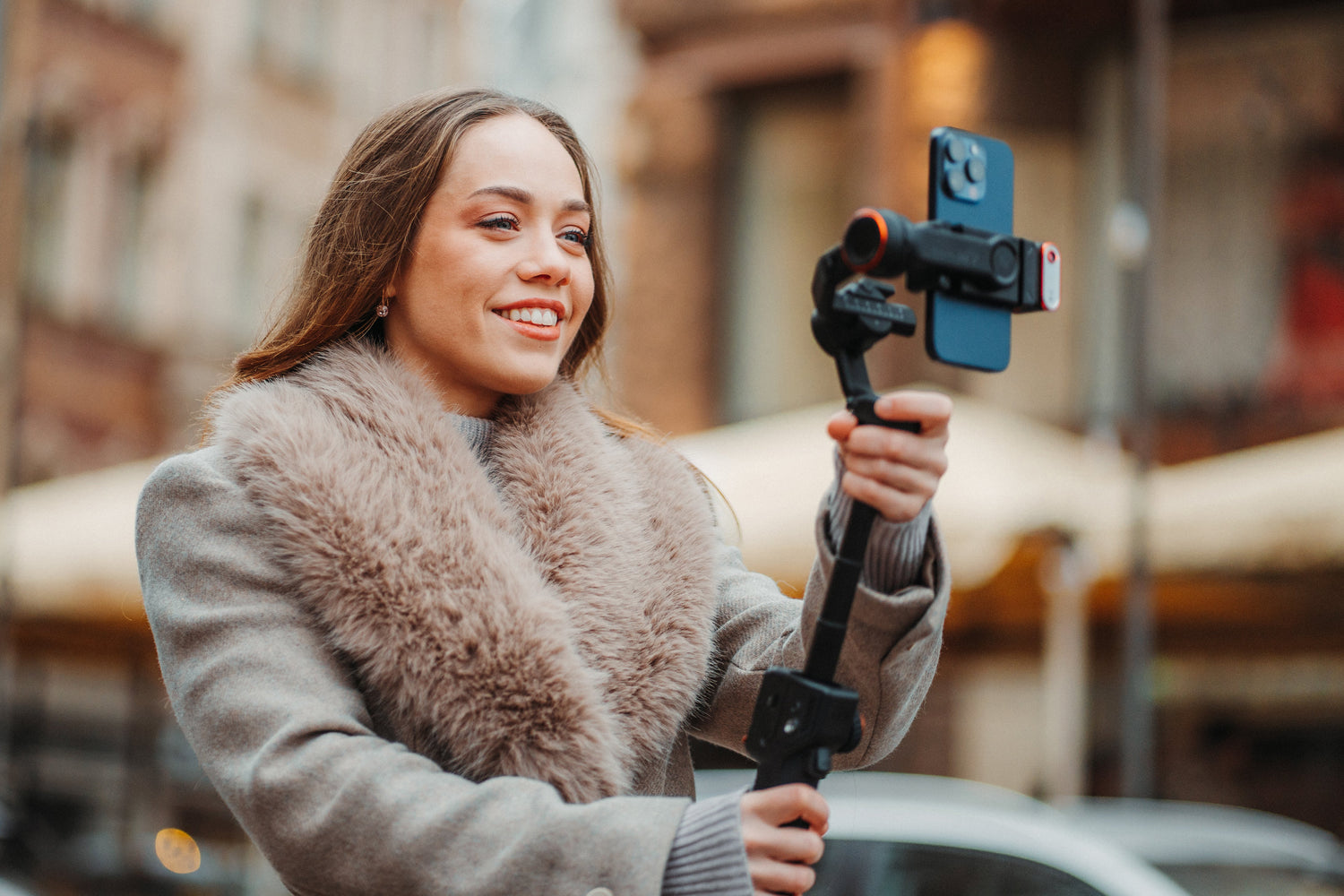
A 3-axis gimbal uses three independent brushless motors to physically stabilize your camera along the pan, tilt, and roll axes. Each motor detects rotation on its axis through an inertial measurement unit (IMU) and applies a counterforce in real time. This is physical correction: the motors prevent the shake from ever reaching your phone's sensor in the first place.
That distinction matters. Where OIS and EIS react to shake after it happens, a gimbal prevents it proactively. The phone captures exactly what the lens sees, with no crop, no software processing, and no resolution loss. Your 4K footage is full-frame 4K, period.
Beyond pure stabilization, a gimbal gives you something that neither OIS nor EIS can provide: controlled, intentional camera movement. You can execute smooth tracking shots, slow pans, orbit movements, reveals, and walk-and-talk sequences that look like they were shot with a professional Steadicam rig. These are not side effects of stabilization. They are creative tools that transform the kind of content you can produce.
And here is the insight that often gets missed: a gimbal does not replace your phone's OIS or EIS. It stacks on top of them. When you mount a phone with OIS on a 3-axis gimbal, the gimbal handles the large movements while OIS cleans up any remaining micro-vibrations. The two systems complement each other, and the combined result is smoother than either one could achieve alone.
Side-by-Side Comparison: Gimbal vs OIS vs EIS
Here is how all three methods perform across the scenarios that matter most to video creators:
|
Scenario |
Gimbal |
OIS |
EIS |
|
Walking shot stability |
Excellent |
Poor |
Moderate |
|
Static handheld video |
Excellent |
Good |
Good |
|
Cinematic panning |
Excellent |
Not possible |
Not possible |
|
Resolution preservation |
Full frame |
Full frame |
Cropped |
|
AI subject tracking |
Built-in (on-device) |
None |
None |
|
Vertical mode switching |
Physical rotation |
None |
Software crop |
|
Low-light performance |
Strong (slower shutter safe) |
Moderate |
Poor (noise from crop) |
|
Portability |
Requires carrying extra gear |
Built into phone |
Built into phone |
The takeaway is straightforward. OIS and EIS are convenience features built into your phone. They handle the basics well, and for casual shooting, they are all you need. A gimbal is a creative tool. It handles everything the built-in systems do, plus the intentional movement, tracking, and low-light stability that separate professional-looking content from average phone footage.
When You Do Not Need a Gimbal
There is no point pretending a gimbal is necessary for every situation. Here is when your phone's built-in stabilization is genuinely enough:
Quick social clips. Shooting a 15-second story or a casual Reel while standing still? OIS handles that. You do not need to unpack a gimbal for a quick-hit social post.
Static tripod shots. If your camera is mounted on a tripod and not moving at all, there is no shake for any system to correct. A tripod alone gets you a clean, stable frame.
Situations where bulk matters. If you are at a crowded concert, on a tight hiking trail, or in any scenario where carrying extra gear is impractical, your phone alone is the right call. Good content shot handheld always beats perfect footage you did not capture because you left the gimbal at home.
When You Absolutely Need a Gimbal
Walk-and-talk vlogging. Any content where you are speaking to the camera while moving requires gimbal stabilization. OIS cannot keep up with the walking rhythm, and EIS crops away too much of the frame. A gimbal eliminates the bounce entirely while preserving full resolution.
Tracking a moving subject. If you are filming another person, a pet, a vehicle, or any moving subject, you need the physical pan and tilt control that only a gimbal provides. With AI tracking, the gimbal follows the subject automatically, which is especially critical when you are the only person on set.
Events, weddings, and travel content. Extended shooting sessions in unpredictable environments demand reliable stabilization. You cannot retake a wedding ceremony or a once-in-a-lifetime sunset. A gimbal ensures every shot is usable.
Cinematic B-roll. Reveal shots, orbits, parallax pans, and jib-style rises all require smooth, deliberate camera movement. None of these are possible with OIS or EIS. They are only achievable with a mechanical gimbal.
Low-light shooting. When light drops, your phone needs a slower shutter speed to gather enough light. Slower shutter speeds amplify any shake in the footage. A gimbal keeps the camera physically still, which lets you shoot at lower shutter speeds without motion blur. OIS helps here, but a gimbal helps significantly more.
Which Hohem Gimbal Stacks Best with Your Phone's Stabilization?
For iPhone 16 and iPhone 17 users: Hohem iSteady M7. Apple's ProRes and Cinematic Mode benefit enormously from gimbal stabilization. The M7's 500g payload handles the iPhone 17 Pro Max with ease, and the on-device AI tracking works independently of any iOS app. The combination of Apple's sensor-shift OIS with the M7's 3-axis motors produces footage that rivals dedicated cinema rigs.
For Samsung Galaxy S26 Ultra users: Hohem iSteady M7. Samsung's Ultra series is one of the heaviest flagship phones on the market. Lighter gimbals struggle with the weight. The M7's 500g payload capacity supports the S26 Ultra without motor strain, and the full 360-degree pan rotation means you can shoot in any orientation without rebalancing.
For GoPro and action camera users: Hohem iSteady Pro4. Action cameras already have strong EIS built in, but for cinematic action footage, that is not enough. The Pro4 provides 3-axis mechanical stabilization purpose-built for GoPro form factors, with native mounting and weatherproof operation. The gimbal eliminates the aggressive crop that GoPro's HyperSmooth applies, giving you wider shots with full resolution.
See how a gimbal stacks with your phone's built-in stabilization. Browse the full Hohem gimbal range by device type and find the right stabilizer for your camera.
Leave A Comment
All comments are moderated before being published.
Ezt a webhelyet a hCaptcha rendszer védi, és a hCaptcha adatvédelmi szabályzata, valamint szolgáltatási feltételei vonatkoznak rá.