
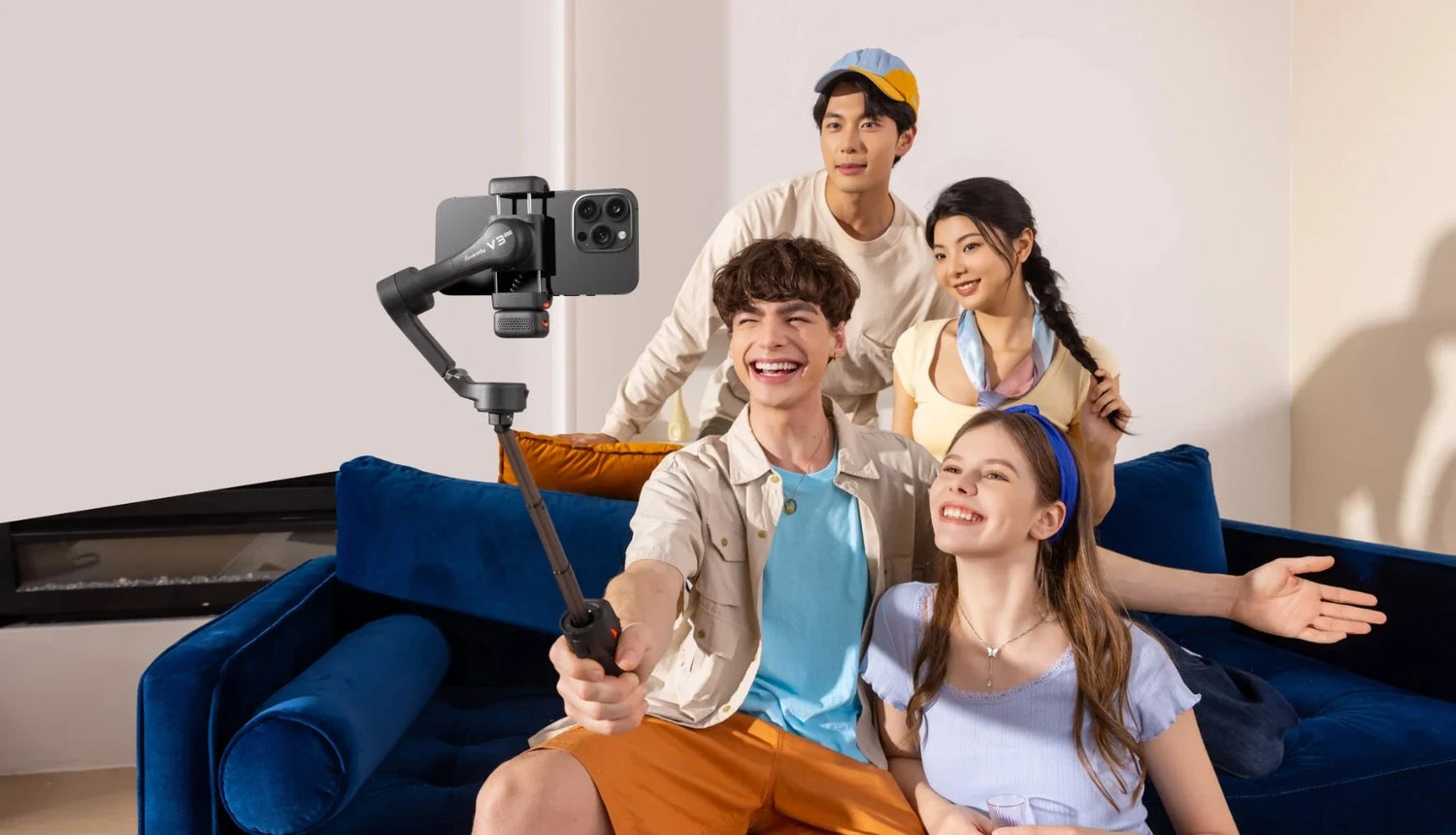
Why Every Student Creator Needs a Gimbal in 2026
Student content creation is at an all-time high. Campus tour vlogs pull millions of views on YouTube and TikTok. Course projects in journalism, marketing, film, and communications programs now require video submissions as standard. Student-run clubs, organizations, and media outlets produce social content that competes for real audience attention. And a growing number of students are building personal brands and creator businesses alongside their coursework.
The phone in your pocket already has the camera to make all of this happen. Modern smartphones shoot 4K video with impressive dynamic range and low-light capability. The camera is not the bottleneck. Stabilization is.
Shaky footage is the single most visible difference between student content that looks amateur and content that looks polished. Walk-and-talk campus vlogs, event coverage in dimly lit lecture halls, and day-in-the-life transition shots all require smooth, intentional camera movement. That is exactly what a gimbal delivers. It takes the same phone you already own and turns its footage from shaky and forgettable into smooth and professional.
A gimbal is also a one-time purchase that lasts the duration of a college career. Unlike subscriptions, software licenses, or phone upgrades, a quality stabilizer holds its value for two to three years of daily use. At the prices available right now during the Hohem clearance, the entry point starts at $19.90. That is less than most textbooks.
The Best Gimbal Picks for Students by Budget
Not every student needs the most feature-rich gimbal available. What matters is matching the right stabilizer to your actual use case and your budget. Here is the full Hohem lineup organized by price tier, with clear guidance on who each model is built for.
Under $50: iSteady Q ($19.90) and iSteady X ($35.90)
The iSteady Q ($19.90) is the absolute cheapest way to get stabilized video on a smartphone. It combines a selfie stick, extendable tripod, single-axis stabilizer, and tracking mount into one compact device. The motorized 360-degree rotation system keeps your phone level during basic movements, and the built-in face tracking follows you as you present or walk. For students who have never used a stabilizer before and want to test whether it makes a difference in their content, the Q is the risk-free starting point. At under twenty dollars, there is no reason not to try it.
The iSteady X ($35.90) steps up to full 3-axis stabilization, which means the gimbal corrects movement across all three planes: pan, tilt, and roll. The result is noticeably smoother footage during walking shots, panning, and handheld filming. The foldable design is compact enough to slide into a jacket pocket or the side pouch of a backpack, and it weighs almost nothing. For students who want real gimbal-quality footage at the lowest possible cost, the X delivers.
Best for: Casual vlogging, class projects, quick social media clips, study-with-me content, and any student who wants to improve their video quality without a significant investment.
$50 to $100: iSteady V2 ($59.90) and iSteady V3 ($94.99)
The iSteady V2 ($59.90) introduces on-device AI tracking, which is a genuine step up for any student who films themselves. The built-in AI vision sensor recognizes your face and follows you as you move, adjusting the gimbal's motors in real time to keep you centered in the frame. You do not need a companion app running on your phone for the tracking to work. This makes it ideal for dorm room filming, studio setups, and any scenario where you are both the subject and the operator. The V2 also earned a Red Dot Design Award for its build quality, which says something about the engineering at this price point.
The iSteady V3 ($94.99) adds a detachable magnetic remote controller to the AI tracking foundation. The remote lets you trigger recording, adjust pan and tilt, and switch modes from across the room. For students who use a tripod-based setup for desk content, podcast recording, or presentation practice, the ability to control the camera remotely without walking back to it after every take is a real workflow improvement. The V3 is the best all-around student gimbal at this price because it covers both handheld and stationary filming with equal capability.
Best for: YouTube channels, TikTok growth, film school assignments, student journalism, podcast-style content, and any student building a consistent content workflow.
$100 to $150: iSteady V3 Ultra ($135.20)
The V3 Ultra is the most feature-rich mobile gimbal in the sub-$150 range. It includes everything the V3 offers (AI tracking, detachable remote, 3-axis stabilization, foldable design) and adds 360-degree RGB and CCT fill lighting built directly into the gimbal body.
The lighting addition matters more than it might seem at first. Dorm rooms, campus common areas, and student event spaces are consistently poorly lit. Overhead fluorescent lights cast unflattering shadows, and natural light disappears entirely for evening content. The V3 Ultra's built-in light provides clean, adjustable illumination without requiring a separate ring light or panel. You can switch between warm and cool white tones for natural-looking footage, or use the RGB mode for creative color effects.
For serious student creators, social media managers running a campus account, or student journalists producing regular video content, the V3 Ultra is the model that eliminates the need for supplementary lighting gear entirely.
Best for: Serious student creators, social media managers, student journalists, content producers for campus organizations, and anyone who films regularly in low-light environments.
$200+: iSteady M7 ($215.20) for the Committed Creator
The M7 is the top-tier option for students who are building a real content career alongside their education. It features on-device AI tracking powered by a dedicated 2MP vision sensor, a 193mm built-in extension pole for versatile angles, adjustable CCT and RGB fill lighting, and a 500g payload capacity that supports even the largest Pro Max and Ultra class smartphones.
For most students, the M7 is more capability than they need for casual campus content. But for those studying film production, running a growing YouTube channel, freelancing as a content creator, or planning to turn their creative work into a career after graduation, the M7 is the tool that grows with them. It handles every scenario covered in this guide (and more) without hitting any limitations.
Best for: Film and media arts students, aspiring professional creators, student freelancers, and anyone who needs the most capable smartphone gimbal available.
5 Content Types Every Student Creator Should Know
Owning a gimbal is only useful if you know what to shoot with it. These five content types are proven performers on social platforms, strong portfolio pieces for job applications, and practical exercises for building video production skills.
1. The Campus Tour Vlog
Walk-and-talk campus tours are among the highest-engagement student content formats on YouTube and TikTok. Incoming students, transfer applicants, and prospective families actively search for real student perspectives on campus life. A smooth, well-filmed tour that covers dorms, dining halls, libraries, student centers, and outdoor spaces provides genuine value to viewers while showcasing your production skills.
Set your gimbal to follow mode and walk at a relaxed pace through each location. Speak directly to the camera and share your genuine experience with each space. The gimbal keeps the footage smooth during transitions between locations, and AI tracking keeps your face centered even as you turn corners or walk through doorways. This content performs year-round, with viewership peaking during application season.
2. The Study-With-Me and Desk Setup Video
Study-with-me videos are a consistently growing genre on both YouTube and TikTok. The format is simple: a stationary camera captures you studying, working, or organizing your desk setup, typically in real time or with a gentle time-lapse effect. Viewers use these videos as ambient study companions, productivity motivation, or desk setup inspiration.
Mount your gimbal on a mini tripod at a top-down or angled position facing your desk. Activate AI tracking if you want the camera to follow your hands or movements subtly. The gimbal keeps the footage stable even on an uneven desk surface, and the fill light (on V3 Ultra or M7) provides consistent illumination that makes your setup look clean and inviting.
3. Day-in-the-Life Content
Day-in-the-life videos perform well across every platform because they satisfy genuine curiosity about how other people spend their time. For students, this format lets you document your routine in a way that feels personal and engaging: morning classes, campus walks, study sessions, meals, club activities, and evening downtime.
The key to making this content work is smooth transitions between locations. Use reveal shots when entering new spaces (push through a doorway to reveal the lecture hall) and tracking shots when walking between buildings. The gimbal transforms what would otherwise be shaky phone footage into cinematic scene changes. Vary your angles throughout the day: overhead for your breakfast setup, eye-level for walking shots, and low-angle for dramatic campus architecture.
4. Club and Event Coverage
Student organizations need video content for recruitment, social media presence, and institutional records. If you are the person with the gimbal and the skills to use it, you become the most valuable member of any club's media team.
Use follow mode to capture speakers, performers, and audiences during events. The gimbal's stabilization lets you move through a crowd or along the edge of a stage without the footage looking chaotic. For indoor events in dimly lit auditoriums or basement venues, the V3 Ultra or M7's built-in fill light keeps your footage usable when the ambient lighting is working against you.
5. Short Film and Class Project Footage
For students in film, media arts, communications, or journalism programs, graded projects increasingly require video production. The quality of your cinematography directly impacts your grade. Orbit shots around a subject, parallax pans through a scene, and jib-style rises from low to high all elevate the production value of student work beyond what handheld footage can achieve.
These techniques demonstrate technical skill in portfolio submissions and film festival entries. A gimbal lets you execute professional camera movements that would otherwise require a dolly track, a jib arm, or a Steadicam rig. For the cost of a single textbook, you gain access to the full range of cinematic movement on your phone.
What Else to Include in a Student Creator Kit
A gimbal is the foundation, but a few affordable accessories round out a complete student creator setup. Every recommendation here is either free or under $30.
Wireless lapel microphone. Audio quality matters as much as video quality. Viewers will tolerate slightly imperfect visuals, but they will click away from bad audio immediately. A basic wireless lapel mic that plugs into your phone's USB-C or Lightning port costs between $15 and $30 and dramatically improves voice clarity for vlogs, interviews, and presentations. If your gimbal puts distance between you and your phone, a wireless mic bridges that gap.
Mini tripod. Every Hohem gimbal has a standard quarter-inch thread mount on the base that connects to any tripod. A compact mini tripod gives you a stable desktop or tabletop base for study-with-me videos, desk setup shots, and stationary talking-head content. Most mini tripods cost under $15 and fold small enough to carry in a backpack.
Portable power bank. Filming between classes drains both your phone and gimbal batteries. A small USB-C power bank lets you top up both devices during breaks. Look for a 10,000mAh capacity bank with USB-C output, which typically costs under $20 and fits in a jacket pocket.
A basic editing app. CapCut is free, available on both iOS and Android, and handles everything a student creator needs: trimming, transitions, text overlays, speed ramping, and color correction. iMovie is free on Apple devices and provides a clean, simple editing workflow. DaVinci Resolve is free on desktop and offers professional-grade color grading and editing for students who want to go deeper. None of these cost anything, and all three are capable enough for social content, class projects, and portfolio work.
Build your back-to-school creator kit without breaking the budget. Browse Hohem's student-friendly gimbals starting at $19.90 during the clearance sale. Find the right model for your content and your budget.
Leave A Comment
All comments are moderated before being published.
This site is protected by hCaptcha and the hCaptcha Privacy Policy and Terms of Service apply.