
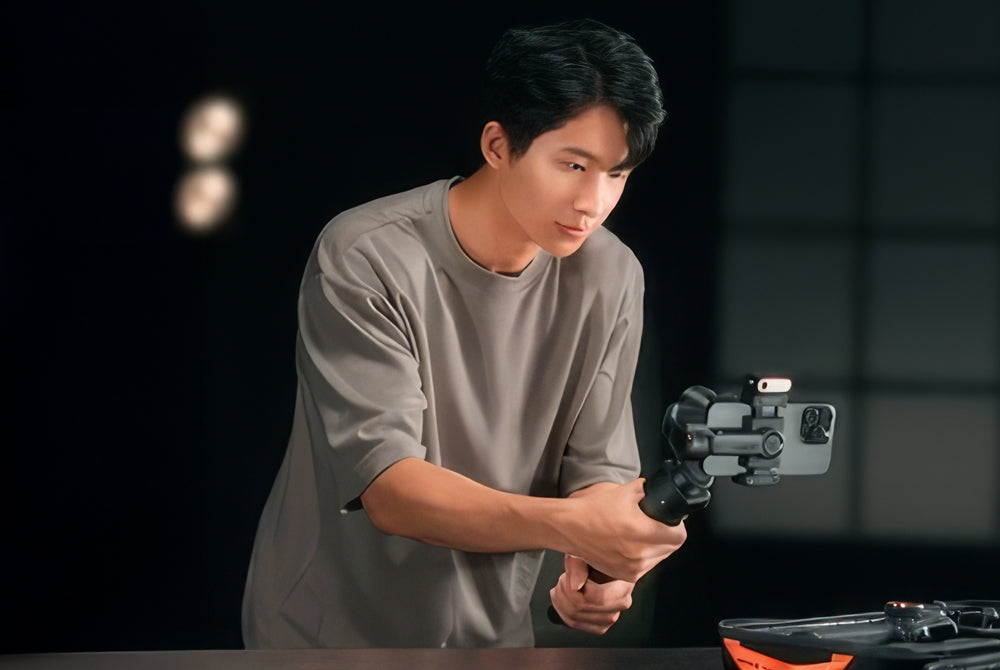
Live stream shopping is no longer new. It's the fastest way for creators, small businesses, and online retailers to link product demonstrations with in-the-moment purchase opportunities. This is an experience that feels more personal, interactive, and engaging than simply viewing product pages.
But there's one thing that often keeps sellers back. Their stream quality is not on par with their product quality.
If a live shopping broadcast is jerky, uncomfortable, unappealing, or just downright tiring to watch, buyers may not trust you. It may not be spoken, but it impacts the audience's attention and engagement, and ultimately purchases. The great thing is that it's not about creating a studio.
A simple, smart setup centered around the right gimbal can instantly make your live selling look more polished and feel more credible. If you are exploring tools for your content workflow, start with the Hohem store or browse the full mobile gimbal stabilizer collection.
Why Video Quality Matters in Live Shopping
Live shopping is an entertainment, education and sales event. So video quality isn't just about how your content looks. It can change your customers' perception of your brand.
First impressions happen fast. If it's jittery, if your arm gets fatigued, if the product keeps falling out of the viewfinder, your live stream is less professional. Even with a great offer, the viewer experience is disrupted.
Smooth video does the opposite. It makes your stream feel more intentional. Your products look more premium. The explanations feel simpler. Overall brand perception increases.
And it's even more important for sellers competing in environments like TikTok Shop, Instagram Live, and YouTube shopping videos. In a marketplace with many competing sellers offering similar products, better visuals can help keep customers from dropping off and instill confidence.
What You Need for a Live Shopping Setup
You don't need a lot of complicated equipment for live shopping. Typically, it only requires a few basic items.
First, you need a camera source, which will most likely be a smartphone or a camera. For most sellers, a smartphone will do the job, and it will often be the best choice as it is quick, easy, and friendly to the platforms.
The second is a gimbal, which is the main component. This helps to keep your framing steady, enables you to move more fluidly, and helps to reduce fatigue to stream for longer without the footage looking bouncy or your arm getting sore.
The third is lighting. A good gimbal can't compensate for poor lighting. If your product is dark, poorly lit, or not consistently lit, your customers will find it hard to assess your product. Even front lighting is generally best.
The fourth is audio. It is not mandatory, but highly recommended. If people can't hear you, they will be less inclined to watch the full product video. A better microphone will work well.
That is it. You don't need a huge cart. You need a stable, clear, and product-focused look.
The Role of a Gimbal in Live Selling
Using a gimbal adds a level of professionalism to live selling because it fixes multiple issues.
First, it stabilises during longer broadcasts. This makes it easier to watch. It's easier to watch close-ups of a product. Strolling around the room or store is more seamless. You don't seem spontaneous anymore.
Second, it lets you move while keeping control of the camera. This is important in live shopping because you might need to move. You might want to show size, use, or move around as you speak. A static setup has limits. A shaky phone can appear jittery. A gimbal is the compromise.
Third, it reduces fatigue. Anyone who has done a long live call on their phone knows. Your wrist gets tired. The frame drifts. You lose confidence. With a gimbal, you're more consistent throughout your stream.
If you're a seller looking to upgrade your stream for more professionalism without more pressure, a gimbal is a great place to start.
Best Setup for Mobile Live Sellers
For most mobile-first sellers, a smartphone plus a gimbal is the easiest and smartest live shopping setup.
This is where the Hohem iSteady M7 stands out. It is especially well-suited for creators and sellers who want to work quickly, stay mobile, and keep their setup simple.

One of its biggest advantages is AI tracking. If you are live selling solo, staying centered in the frame while moving around can be difficult. AI tracking helps keep the camera on you, which is especially useful when you are switching between presenting products, answering comments, and demonstrating features in real time.
Reverse charging is another major benefit for live sellers. Long streams drain batteries fast. When your phone is working hard for video, brightness, and platform activity all at once, power management becomes a real issue. A gimbal that supports longer sessions is not just convenient. It helps you avoid interruptions during the exact moments when viewers may be ready to buy.
The built-in extension pole also gives you more flexibility. You can get better angles, wider framing, and more natural product shots without packing more accessories into your setup. For mobile sellers who value speed and ease, that makes a difference every time they go live.
If your live shopping workflow is built around a phone, the M7 is one of the clearest ways to improve both your production quality and your day-to-day ease of use.
Pro Setup for Advanced Sellers
Some sellers want more than a fast mobile setup. They want a more cinematic product presentation, more lens flexibility, and a system that supports a higher-end visual standard.
That is where the Hohem iSteady MT3 Pro comes in.

For creators using mirrorless cameras, the MT3 Pro gives you more room to build a more advanced live shopping setup. A higher payload means more support for larger camera bodies and lens combinations. That opens the door to cleaner product separation, better depth, and more tailored visual style.
Lens choice matters here. A wider lens may work better for room-based live shopping. A tighter lens may help for premium product close-ups. A dedicated camera setup gives you more control over how viewers see the product, which can be useful for brands that want a more polished, brand-forward look.
The MT3 Pro also makes more cinematic movement possible. That may sound like a luxury, but in product-focused selling, it can help communicate quality. Smooth reveal shots, elegant pans, and more controlled motion can all add to a product’s perceived value.
This setup is not necessary for everyone. But for advanced sellers, agencies, or brands that want live commerce content to feel closer to branded production, it is a strong direction to consider.
Tips to Improve Your Live Shopping Performance
Gear matters, but how you use it matters just as much.
Keep your camera at eye level whenever possible. This makes your stream feel more natural and more engaging. It also tends to flatter both the presenter and the product better than a low or awkward angle.
Maintain consistent lighting. Buyers want to see details. Uneven light, harsh shadows, and shifting brightness make products harder to evaluate. A clear visual presentation supports clearer buying decisions.
Use slow, intentional movements. Just because a gimbal allows motion does not mean constant motion is better. Smooth, deliberate movement helps guide the viewer’s attention without making the stream feel chaotic.
Also, plan your demo flow before you go live. Know which products you want to feature first, where your close-ups will happen, and when you want to move versus stay still. That preparation helps your stream feel more confident and easier to follow.
Conclusion
Better setup usually leads to better live shopping performance because it improves clarity, trust, and the overall viewing experience.
If you are serious about live selling, a gimbal is no longer an optional extra. It is one of the easiest ways to make your stream feel more polished and more conversion-ready
For a fast, mobile-first approach, the Hohem iSteady M7 is a strong fit. For a more advanced camera-based setup, the Hohem iSteady MT3 Pro gives you more room to grow. You can also browse more options through Hohem’s mobile gimbal stabilizer collection or start from the main Hohem store.
Leave A Comment
All comments are moderated before being published.
This site is protected by hCaptcha and the hCaptcha Privacy Policy and Terms of Service apply.