
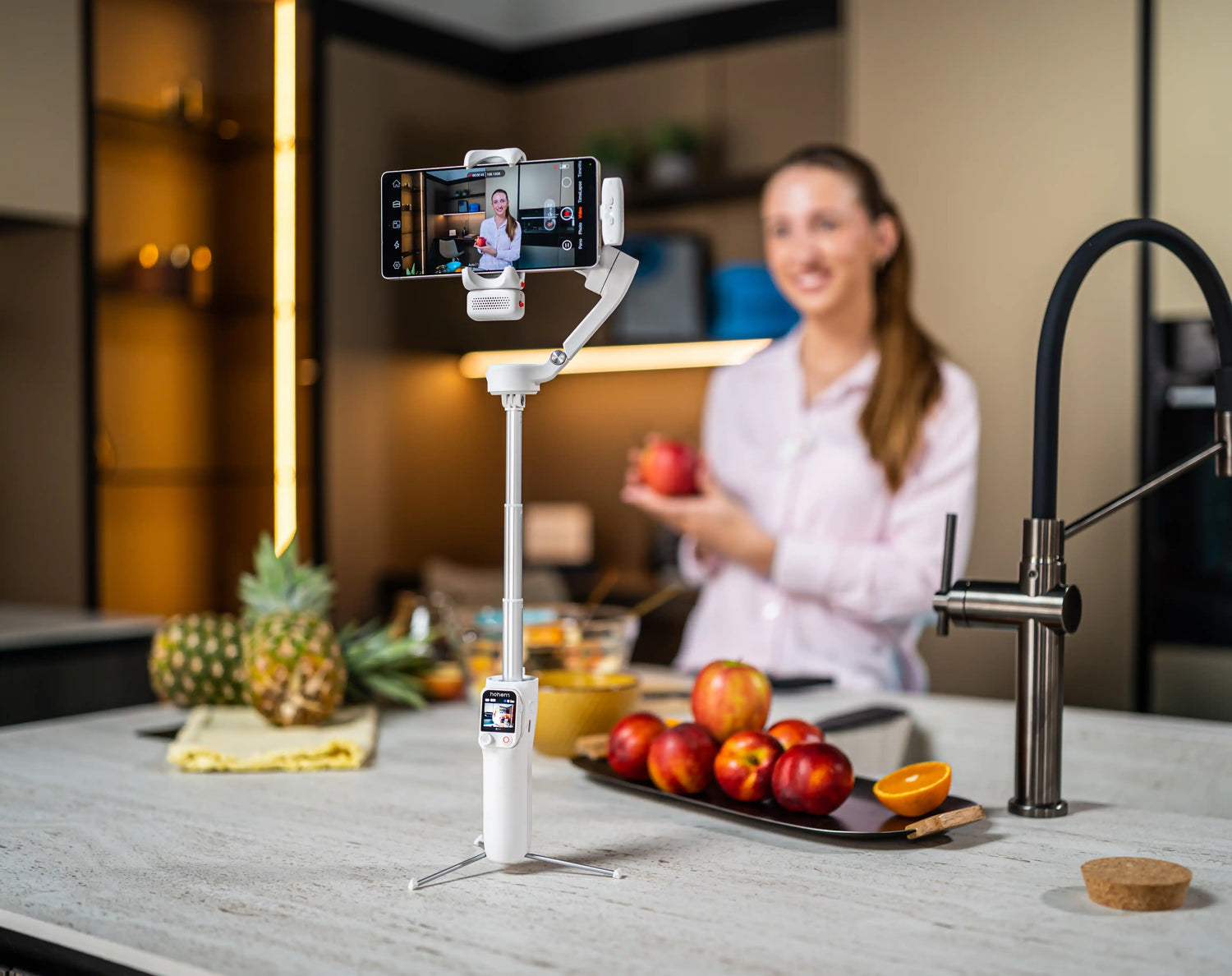
Making a video for TikTok Shop is not the same as creating any other video product before. It's a purchase based on demos, rather than listings, and the algorithm values truth over finesse. This isn't always the case, but UGC tends to consistently perform better than studio ads on this platform, even if sellers are not expecting it the first time they attempt to do so.
Hook first, scroll later – what does the viewer want to do? It's completely vertical, completely mobile-first; you want every clip to be shot in a way that is familiar to the platform itself and not out of a different context. In reality, it is not so much the product that matters; it is video quality and framing that make the difference in getting conversions or not.
The 4 TikTok Shop Video Formats That Drive Sales
1. The hook-first product demo
Show the product in action, not the packaging, not the logo and not a talking head introducing itself. The first 1-2 seconds should display the outcome or some form of the transformation or moment when they stop scrolling. Make it clear what the product is and why it only works once you've gained the attention. On the gimbal, begin in follow mode with a close-in towards the product, and pull back to show context.
2. The unboxing and first impression
Start with a large overhead shot of the package, and then fly around the package as you open it. Be sincere; don't play it safe. TikTok Shop values that authenticity over a neat and tidy appearance. Use the overhead shot with all axes locked; change to follow mode for the reveal itself.
3. The comparison and test
Display a product next to a competitor or in comparison to the old method of addressing the same problem. Detail close-ups on textures, quality differences and real-world performance are important. Try using follow mode with a slower motor speed in order to control your push-ins on the details.
4. The live selling session
TikTok LIVE featuring the product is the most effective video format for TikTok Shop for conversions. During a live session, AI tracking can replace a camera operator by following you, showcasing the product, and addressing comments. Using a tripod with AI tracking activated, pan-follow, fill light and have the detachable remote close by to help with framing without disruption to the broadcast.
Filming Setup for TikTok Shop Creators
The one-gimbal live selling rig
Mount the gimbal to a tripod at chest height with the phone in vertical mode, with AI tracking enabled so that the gimbal follows you when you are showing off the products. Use the fill light throughout the session to ensure even lighting for the whole session, and attach the detached remote to the belt or some other nearby surface so that rapid changes don't interrupt the process.
Lighting for TikTok authenticity
Natural lighting is rewarded, and studio lighting is generally punished on TikTok because the camera reads it as an advertisement before you're readying your brain to process what you're being sold. Film with a gimbal, with the CCT fill light set to a warm colour for a welcoming, friendly look. Use natural window light as the main light and the fill light as secondary light, and it will look like a natural room, not a studio.
Audio matters more than visuals on TikTok
Background music-only product demo conversions are significantly lower than those with voice audio. You can use a wireless lapel mic with the gimbal to free your hands, so you can do the demonstration. If in no-microphone mode, keep within about three feet of the phone to ensure the phone's audio is clear.
Best Hohem Gimbals for TikTok Shop Creators
Hohem iSteady M7: best for live selling and solo demos
The Hohem iSteady M7 is built for exactly this use case.
- On-device AI tracking works during TikTok LIVE with no app conflict and no extra battery drain on your phone
- The fill light provides consistent illumination through hour-long live sessions without a separate light
- A 500g payload supports phones with ring lights, mic attachments, and clip-on lenses all mounted together
- Gesture control lets you switch products, adjust angle, and reset framing hands-free mid-demo
Hohem iSteady V3 Ultra: best for pre-recorded product content
The Hohem iSteady V3 Ultra is compact enough to live permanently on a desk or tabletop filming station.
- A detachable remote triggers recording while both hands stay free to demonstrate the product
- 360-degree RGB lighting adds warmth and personality to product shots without extra gear
Budget option: iSteady V3 ($94.99, clearance)
The Hohem iSteady V3 pairs AI tracking with a detachable remote at the lowest price point in the lineup, making it a practical entry point for new TikTok Shop sellers who want to test video before investing further.
TikTok Shop Filming Mistakes That Kill Conversions
- Don't begin with the product – start with the person: The hook is the product in action – NOT the introduction to the person.
- When overproducing, studio-ready lights and a scripted delivery tell the algorithm and viewer "ad".
- Every clip must be filmed vertically with the points of the frame aligned on the key lines.TikTok is vertical, and all clips must be produced vertically from the start of production.
- No sound, or some sound with background noise or sound that isn't clear, degrades trust and impacts conversion.
- No call to action: every clip should tell the user to click on the product link, go to the shop or tap the cart.
Sell more on TikTok Shop with better product demos. Browse Hohem gimbals built for live selling, affiliate content, and product demonstrations
Jätä kommentti
Kaikki kommentit moderoidaan ennen julkaisemista.
Tämä sivu on suojattu hCaptcha-tunnistuksella, ja hCaptchan tietosuojakäytäntöjä ja käyttöehtoja sovelletaan.