
Product demos and live shopping are fast becoming a staple in the online shopping experience. On TikTok, Instagram, YouTube, and company-owned channels, shoppers are increasingly making decisions about what to buy based on video content that feels immediate, helpful, and authentic.
That creates a big opportunity for creators and brands. It also creates a common problem.
A lot of product videos look rushed. They shake too much. The framing feels random. The product drifts in and out of focus. Instead of helping viewers understand what is being sold, the video makes everything feel less convincing.
The great news is that this can be remedied without a large team. Having a good gimbal can make product demos instantly tidier, smoother, and more professional without making the production cumbersome. If you want to see the wider range of creator tools available, you can start on the Hohem store.
What Makes a High-Converting Product Demo Video
A high-converting product demo video is not just attractive. It is clear.
The viewer should always understand what the product is, what it does, and why it matters. That means the framing needs to keep attention where it belongs. The movement should support the demo, not distract from it. The overall footage should feel stable enough that viewers can focus on the product itself.
Natural movement also helps. Product videos should not feel frozen, but they should feel controlled. A smooth push-in shot can make a detail feel important. A clean side movement can show scale or texture. A gentle overhead shot can make a demo feel easy to follow.
Another element is a fixed focus on the product. Whether you are demonstrating a beauty product, a gadget, a kitchen tool or an accessory, the viewer should never worry about what to focus on. Strong demo content guides attention naturally.
That is why setup matters so much. The better your setup, the easier it becomes to create video that feels credible and conversion-friendly.
Why Most Product Videos Fail
Most product videos fail for simple reasons, not dramatic ones.
The first is shaky footage. When you are shooting, it can be easy not to notice jiggles, but when you are editing they can be really distracting. For product videos, this is bad because the audience needs visual assurance.
The second issue is bad angles. A product might be gorgeous, but if it's shown at angles that don't help the viewer, the demonstration won't be effective. Great products still need great presentations.
The third issue is constant reframing. If the creator keeps adjusting the camera mid-shot, it pulls attention away from the item being demonstrated. The viewer notices the filming instead of the product.
The last common issue is distracting background movement. If the whole frame feels busy, unstable, or uncontrolled, the product loses importance. Instead of looking premium, it may start to feel ordinary or even confusing.
Most of these problems are not about talent. They are about tools and setup.
Why a Gimbal Changes Everything
A gimbal changes product content because it brings consistency to movement.
Rather than battle the camera, you can control it. This means less jitters, fewer flickers, and an overall better viewing experience. For live shopping, this ensures trust during live demonstrations. For product videos, it helps you achieve a more branded look without the price tag of a full rig.
A gimbal also makes hands-free or lower-effort operation more realistic, especially when paired with tracking features. That matters for solo creators who need to present, demonstrate, and monitor a product at the same time.
Consistent framing is another huge advantage. When your tool is helping stabilize the motion, it becomes easier to keep the product centered, move through detail shots, and stay visually intentional from start to finish.
In short, a gimbal does not just make footage smoother. It makes your whole content workflow more dependable.
Best Setup for Live Shopping Creators
If you are a solo creator running live shopping sessions or filming direct-to-platform product demos, a smartphone-based setup is often the smartest choice.
This is where the Hohem iSteady M7 is especially compelling.
For one thing, it fits the speed of modern creator work. You can shoot quickly, work directly inside the apps you already use, and keep your setup simple enough to repeat consistently. That matters because content quality depends not only on how good your gear is, but also on how often you are actually willing to use it.

AI tracking is a major advantage for live shopping creators. If you are demonstrating products on your own, moving around a table, or changing angles during a presentation, staying in frame becomes much easier when tracking support is built in.
The app-free shooting experience is also important. Many creators want to use TikTok, YouTube, or Instagram directly without adding unnecessary steps. Keeping the workflow lean helps you stay focused on the actual selling and presentation.
The built-in extension pole adds even more flexibility. Overhead demo shots become easier. Wider table views become more natural. You can adjust your composition quickly without needing separate accessories. For product demos that need a mix of face-to-camera presentation and close visual explanation, that is a big win.
If your goal is to make better product content without building a complicated rig, the M7 is one of the easiest upgrades to justify.
Advanced Setup for Product Filmmaking
For brands, agencies, or creators producing more polished demo content, a dedicated camera setup can take things further.

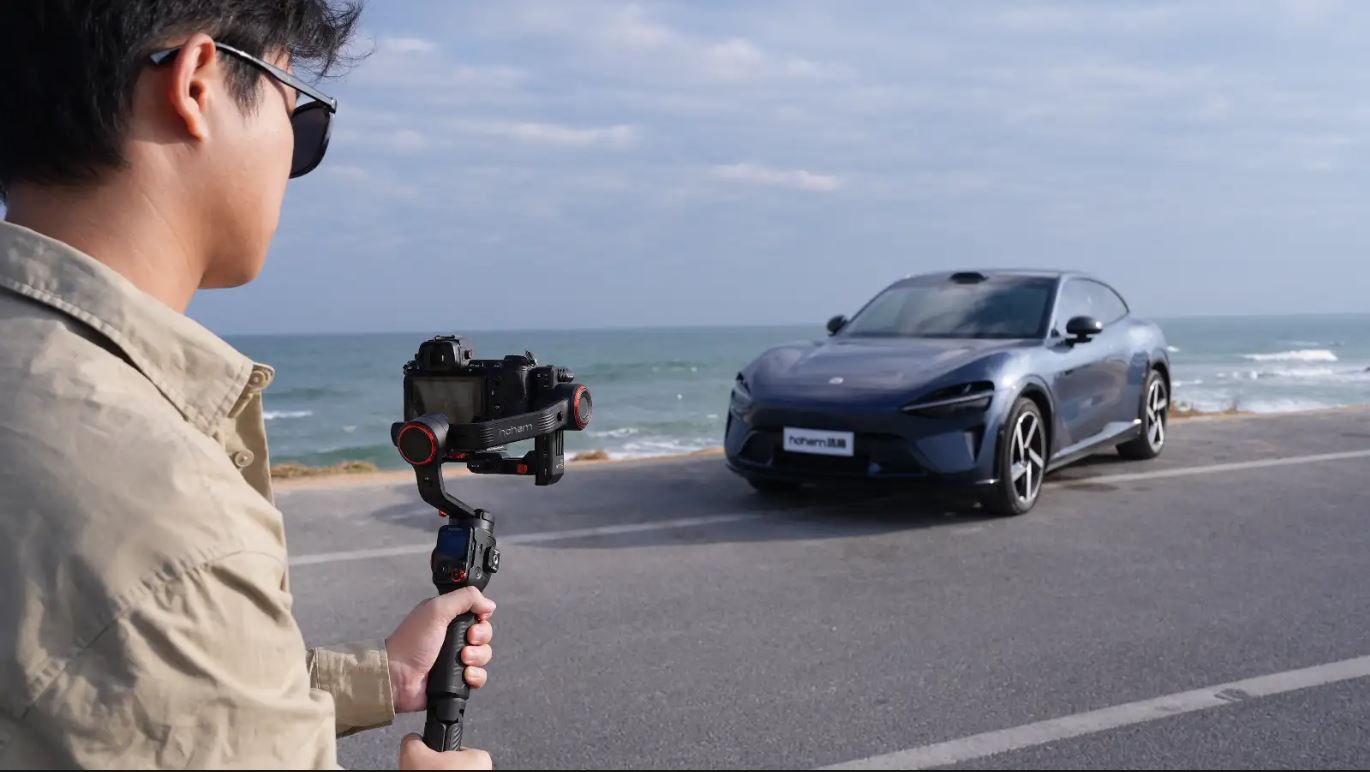
The Hohem iSteady MT3 Pro is a strong option for that more advanced workflow. It supports creators who want more control over lens choice, framing style, and cinematic motion.
Lens flexibility is a major reason to consider this route. Some product demos look best with wider, cleaner environmental framing. Others benefit from tighter detail-focused visuals. With a mirrorless camera setup, you have more creative control over how each shot feels.
Pro-level stabilization matters here too. Product filmmaking often depends on subtle motion. A smooth reveal, a controlled side track, or a slow detail pass can all make the product feel more refined. Those small improvements can change how premium the entire brand appears.
This kind of setup is especially useful for teams producing paid ads, launch content, ecommerce product videos, and higher-end social creative. It takes more setup time than a phone-based system, but it also gives you more room to shape the final result.
Shot Ideas for Product Videos
Once your setup is solid, your shot choices become more effective.
A push-in shot works well when you want to highlight an important feature, texture, or premium detail. It creates focus and gives the product a sense of importance.
An overhead demo shot is ideal for tutorials, unboxings, and tabletop product explanations. It makes the content easier to follow and gives viewers a clean perspective.
A side tracking shot is useful when you want to show form, size, or movement. It can make static products feel more dynamic without becoming distracting.
These are not complicated techniques, but they look significantly better when supported by a stable gimbal. Smooth execution is what makes simple shots feel professional.
Conclusion
Clearer footage makes products more believable, more understandable, and more sellable.
That's why a gimbal is the ideal upgrade for live shopping and product demonstration videos. It makes it clearer, smoother, and easier to watch without a massive change in production.
If you are a solo creator or mobile-first seller, the Hohem iSteady M7 is an excellent fit for faster, app-friendly content creation. If you want more advanced product filmmaking potential, the Hohem iSteady MT3 Pro gives you more creative range. To explore more creator gear, visit the main Hohem store.
Dejar un comentario
Todos los comentarios se revisan antes de su publicación.
Este sitio está protegido por hCaptcha y se aplican la Política de privacidad de hCaptcha y los Términos del servicio.