
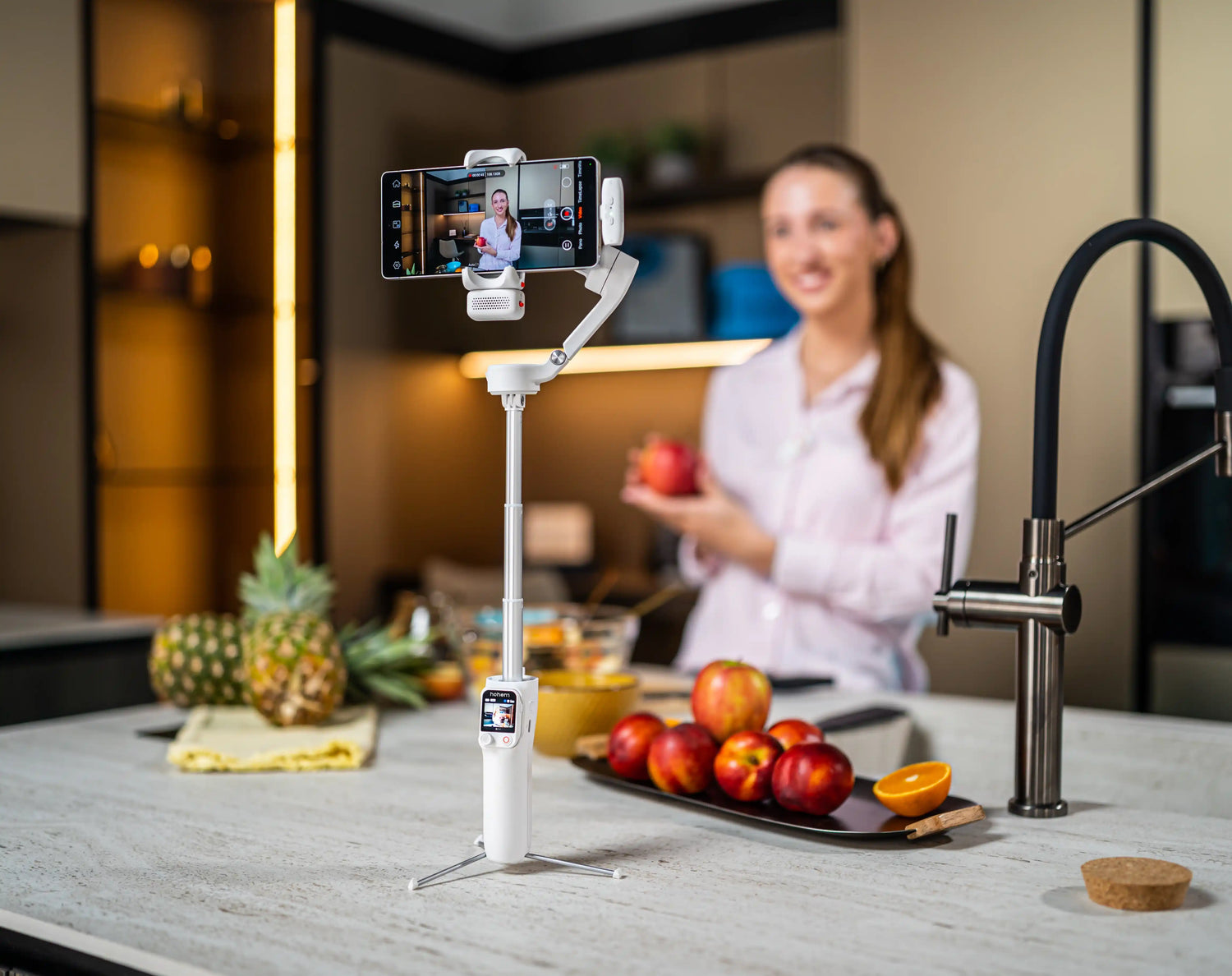
Why Product Videos Outperform Photos in 2026
The way people shop online has shifted fundamentally. Photos used to be enough to sell a product, but in 2026, buyers expect to see products in motion before they commit. They want to see how a candle flickers, how fabric drapes, how a tool fits in their hand, and how packaging looks when it arrives at their door. A still image cannot deliver any of that. Video can.
The numbers reflect this shift. Shopify, Etsy, and TikTok Shop all prioritize listings that include video content. Their search algorithms surface video-first listings more frequently, and their product page layouts give video placements more prominent positioning than static images. If your listing has video and your competitor's does not, the platform is already working in your favor.
Product videos also increase conversion rates because they answer the questions that photos leave open. Buyers can see the actual size of a product relative to everyday objects, the texture of a material under real lighting, and how a product performs in its intended environment. That level of transparency builds trust, and trust drives purchases.
The best part is that you do not need a studio, a videographer, or an expensive camera to produce professional-looking product videos. A modern smartphone and a gimbal stabilizer are enough to create content that competes with brands spending thousands on production. This guide shows you how to do it with the gear you likely already own, plus one affordable addition.
The 5 Product Video Shots Every Business Needs
You do not need dozens of different shots to build a strong product video library. Five core shots cover virtually every use case, from marketplace listings to social media content to your own website. Here is each one, including the gimbal settings and scenarios where it works best.
1. The 360-Degree Orbit Shot
This is the single most important product video shot for any business. You slowly walk in a circle around the product while keeping the camera pointed at it. The viewer sees every angle, every detail, and the full shape of the product in one continuous clip.
The orbit shot works because it replicates the experience of picking up a product in a store and turning it around in your hands. For online buyers who cannot physically touch what they are purchasing, this is the closest substitute.
Gimbal mode: Pan-follow with locked tilt. This keeps the camera level while the pan axis follows your circular movement around the product. Maintain a consistent distance from the product throughout the orbit. Imagine walking along the edge of an invisible circle with the product at the center.
Use case: Product listing hero video, marketplace thumbnail video, homepage product showcase. This shot works for virtually every product category: jewelry, apparel, electronics, food packaging, handmade goods, and home decor.
2. The Top-Down Flat Lay
The flat lay is an overhead shot looking straight down at the product, typically arranged alongside complementary items: packaging, accessories, branded tissue paper, or lifestyle props that communicate how the product fits into the buyer's world.
This shot works particularly well for products that are visually strong when viewed from above. Skincare sets, stationery, food platters, jewelry collections, and subscription box contents all look exceptional in a flat lay format. The overhead perspective also gives you a clean, symmetrical frame that translates well to square and vertical social formats.
Gimbal mode: Lock all axes and extend the gimbal's built-in pole (if available) for additional height. You want the camera pointed straight down with zero movement from the motors. Any tilt or pan correction from the gimbal will disrupt the perfectly flat perspective. Move the gimbal slowly and horizontally over the arrangement to create a gentle scanning motion.
Use case: Unboxing content, social media carousel lead images, Instagram and Pinterest posts, TikTok product reveals. This shot is also effective for showing the complete contents of a bundle or kit.
3. The In-Use Demonstration
Showing a product being used in its real environment answers the buyer's most important question: what does this look like in practice? A kitchen tool being used to chop vegetables, a bag being carried through a market, a skincare product being applied, or a piece of furniture styled in a living room all communicate more than any product description ever could.
This shot requires either a second person to use the product while you film, or a gimbal with AI tracking that follows you as you demonstrate the product yourself. For solo business owners filming without a crew, AI tracking is the practical solution. The gimbal locks onto you or the product and adjusts its framing automatically as you move.
Gimbal mode: Follow mode with AI tracking activated. The gimbal's motors respond to your movement while the AI vision sensor keeps the subject centered. This produces smooth, professional-looking footage even if your movements are not perfectly controlled during the demonstration.
Use case: Tutorial-style product content, Instagram Reels, TikTok product demos, and YouTube Shorts. This shot is especially effective for products that require explanation or that benefit from being seen in action.
4. The Detail Close-Up
The detail close-up is a slow push-in toward a specific element of your product: a stitching pattern, a logo engraving, a textured surface, the clasp on a piece of jewelry, or the label on artisan packaging. The camera starts at a medium distance and moves slowly forward until the detail fills the frame.
This shot communicates quality and craftsmanship in a way that wide shots cannot. It tells the viewer that you are confident enough in your product's details to put them under a magnifying glass. For premium, handmade, or artisanal products, this shot is essential.
Gimbal mode: Follow mode with slow motor speed. Walk forward at a deliberate, measured pace. Count to three with each step. The slower you move, the more intentional and cinematic the push-in feels. Fast push-ins look rushed and undermine the sense of quality you are trying to convey.
Use case: Premium product marketing, brand storytelling, website about page content, and B-roll cutaways for longer product videos. Any product where material quality, finish, or craftsmanship is a key selling point benefits from this shot.
5. The Lifestyle Context Shot
The lifestyle shot places your product naturally within a styled environment and then moves the camera through the scene to reveal it. The product is not the only element in the frame. It exists alongside objects, settings, and atmospheres that communicate the lifestyle your brand represents.
A candle on a nightstand next to a book and a cup of tea. A leather bag on a cafe table with a latte and a notebook. A pair of earrings on a marble tray beside a vase of flowers. The product is discovered within the scene, not presented in isolation. This approach works because it helps the buyer visualize the product in their own life.
Gimbal mode: Follow mode. Start the shot with the camera aimed at one part of the scene (the book, the coffee cup) and slowly pan or push forward until the product enters the frame and becomes the focal point. The movement should feel like a natural discovery, not a forced reveal.
Use case: Brand storytelling, homepage hero video, social media brand content, seasonal campaign videos, and email marketing visuals. This is the shot that builds emotional connection between the product and the buyer.
The Complete DIY Product Video Setup
You do not need a professional studio or expensive equipment to produce product videos that look polished and credible. Here is the complete setup, broken down by component.
Camera: Your Phone Is Enough
If you own an iPhone 15 or newer, a Samsung Galaxy S24 or newer, or a recent Google Pixel, your phone already shoots production-quality 4K video. The cameras on modern flagship smartphones rival dedicated video cameras for product content, especially when paired with good lighting and stabilization.
Use your phone's native camera app rather than a third-party app. The native app gives you the most direct access to settings like white balance, exposure, focus lock, and frame rate. Shoot in 4K at 30 frames per second for product content. This gives you the highest resolution while maintaining a natural, cinematic motion cadence.
Stabilizer: Why a Gimbal Beats a Tripod for Product Video
A tripod keeps your phone still. That is all it does. It cannot orbit around a product, push into a detail, scan across a flat lay, or follow you during a product demonstration. A tripod produces static shots, and static shots make products feel flat and unengaging.
A gimbal adds intentional, smooth camera movement that makes products feel premium. The orbit shot, the push-in, the lifestyle reveal, and the overhead scan all require controlled movement that only a motorized stabilizer can deliver consistently. The difference in perceived production quality between a static tripod shot and a gimbal-stabilized moving shot is significant, even to viewers who cannot articulate why one looks better than the other.
AI tracking is the other key advantage. With a gimbal that has built-in tracking, the camera follows your product or your hands as you demonstrate, keeping the subject centered in the frame without manual adjustment. For solo business owners who film without a camera operator, this feature replaces the need for a second person entirely.
Lighting: Simple Two-Source Setup
Lighting makes or breaks product video. Fortunately, a professional-looking setup requires only two sources: a primary light and a fill light.
Your primary light source should be natural window light if available. Position your product near a large window with indirect sunlight. The light should fall across the product from one side, creating gentle shadows that add depth and dimension. Avoid direct sunlight, which creates harsh, overexposed highlights.
Your fill light softens the shadows on the opposite side of the product. This can be a simple LED panel, a ring light, or even the built-in fill light on your gimbal. The Hohem M7 and V3 Ultra both have adjustable CCT lighting that provides clean, balanced illumination. Using the gimbal's fill light keeps your setup compact and reduces the number of accessories you need to manage.
One critical rule: avoid overhead room lights. Ceiling fixtures create downward shadows that make products look flat and unflattering. Turn them off and rely on your two directed sources instead.
Background: Keep It Clean
The background should support the product, not compete with it. For most product videos, a clean white posterboard, a wooden table surface, or a simple branded backdrop works well. The product should be the clear focal point in every frame.
If you are shooting lifestyle context shots, the background can be more detailed (a styled tabletop, a shelf, a kitchen counter), but every element in the frame should be intentional. Remove clutter, stray cords, and anything that distracts from the product. Viewers notice messiness, and it undermines the perception of quality.
Best Hohem Gimbals for Product Videos
Hohem iSteady M7: Best for Solo Product Demos with AI Tracking
The M7 is the strongest recommendation for business owners who film product content alone. Its on-device AI vision sensor tracks your face, your hands, or the product itself without requiring a companion app. You can set up the gimbal, step into frame, and demonstrate your product while the camera follows you automatically.
The built-in 193mm extension pole gives you the height needed for overhead flat-lay shots without buying a separate accessory. And the adjustable CCT and RGB fill light provides consistent lighting across takes, which means your product looks the same in the first clip and the twentieth.
If you are producing product videos regularly for your business, the M7 is the one-device solution that handles stabilization, tracking, and lighting simultaneously.
Hohem iSteady V3 Ultra: Best for Flat-Lay and Tabletop Content
The V3 Ultra is the better choice if most of your product content involves tabletop setups, flat lays, and stationary filming. Its 360-degree RGB and CCT lighting brings out product colors and textures with more creative control than a standard white fill light. You can adjust the color temperature to match your brand palette or create warm, inviting tones for lifestyle content.
The compact, foldable design makes it easy to keep on your desk or workspace permanently, ready to shoot whenever you have a new product to photograph or film. The detachable magnetic remote controller lets you trigger recording from a distance, which is essential when you are demonstrating a product with both hands and cannot reach the camera.
Hohem iSteady M6: The Budget Option
If you are testing product video for the first time and want to start with a lower investment, the iSteady M6 is a strong entry point at its current clearance price. It provides reliable 3-axis stabilization with motor strength that supports heavier phones with cases and clip-on macro lenses.
The M6 does not include built-in AI tracking or fill lighting, so you will need to manage framing manually and provide your own light source. But for straightforward orbit shots, push-ins, and flat lays, it delivers smooth, professional footage at a fraction of the cost of the M7 or V3 Ultra.
Common Mistakes in DIY Product Videos
Moving the camera too fast. This is the most common mistake in DIY product video. When you are behind the camera, the movement feels slow to you, but it plays back much faster on screen. Slow down to roughly 50% of your natural walking or panning speed. Count to three with each step during orbit shots. The slower and more deliberate your movement, the more polished the final footage looks.
Inconsistent lighting across clips. If your white balance is set to automatic, the camera will adjust the color temperature differently for each clip based on what is in the frame. This creates a noticeable color shift when you edit the clips together. Set your white balance manually before filming and keep it locked throughout the session. This ensures every clip matches in color and tone.
Shooting too far from the product. New filmmakers tend to stand too far away, leaving too much empty space around the product. The product should fill a significant portion of the frame. Get closer than you think you need to. If the product occupies less than 60% of the frame, you are probably too far away. Close-up footage feels more engaging and professional than wide shots where the product is small and lost in the background.
No call to action at the end. Every product video should tell the viewer what to do next. Whether it is visiting your website, adding the product to their cart, or following your account for more content, include a clear direction. A video without a call to action generates views but not sales. The CTA can be a text overlay, a voiceover, or a simple end card with your store URL.
Start making product videos that sell. Browse Hohem gimbals built for business content and product photography. Find the right stabilizer for your setup and start filming today.
Leave A Comment
All comments are moderated before being published.
Ezt a webhelyet a hCaptcha rendszer védi, és a hCaptcha adatvédelmi szabályzata, valamint szolgáltatási feltételei vonatkoznak rá.