
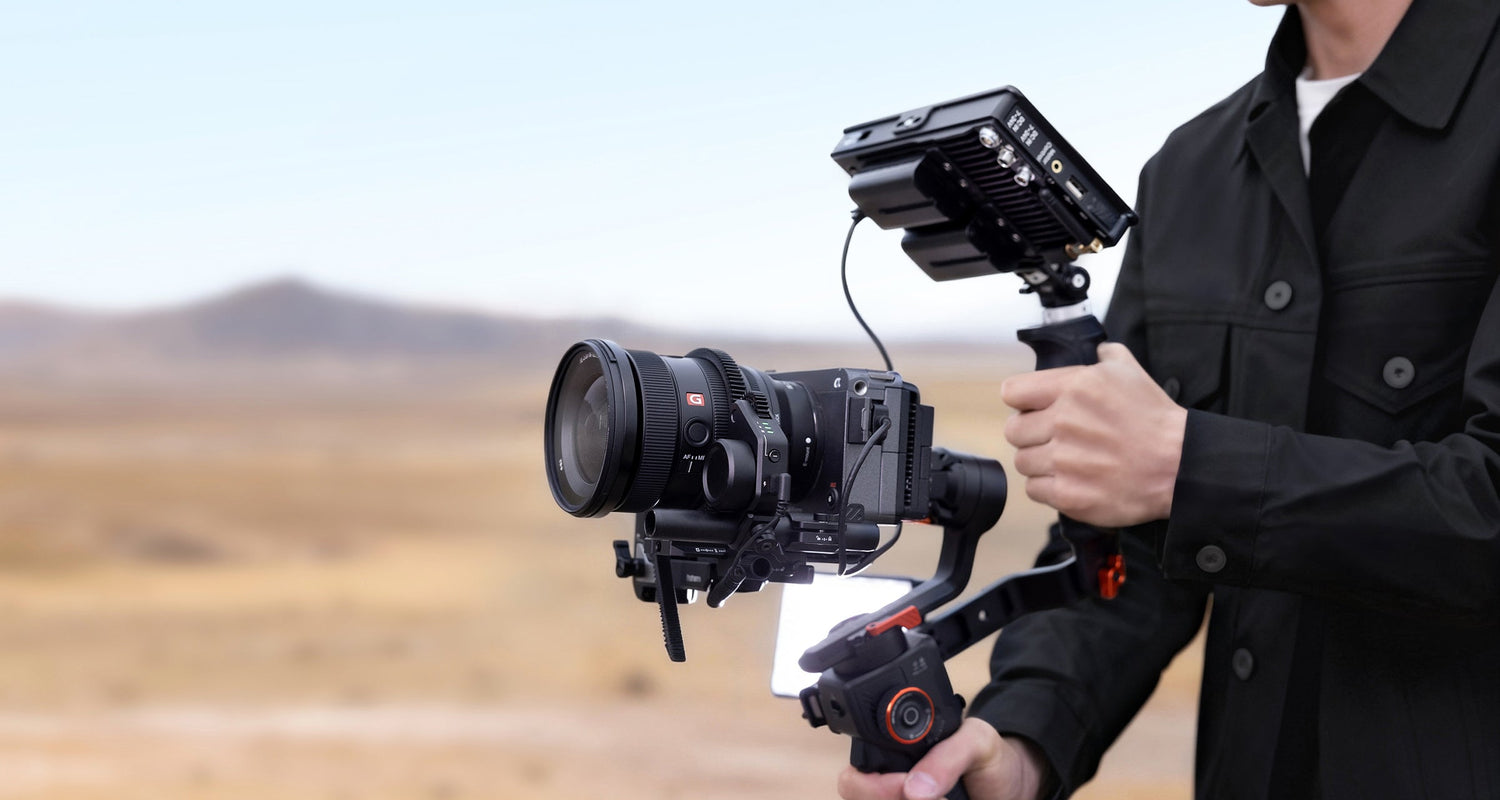
The camera gimbal market has changed more in the last three years than in the decade before it. AI tracking, hybrid 4-in-1 designs, built-in touchscreens, and sub-$200 price points have brought professional-grade stabilization within reach of every type of creator.
But the range of options has also made the category genuinely confusing for anyone buying their first gimbal. This guide covers the fundamentals: what a camera gimbal is, how it works, which type fits which workflow, and what features actually matter in 2026.
What Is a Camera Gimbal?
A camera gimbal is a powered, handheld stabilizer that uses brushless motors and gyroscopic sensors to keep a camera level and steady regardless of how the operator moves. Unlike a simple counterbalanced arm or passive stabilizer, a camera gimbal is electronic: it actively detects and compensates for movement in real time.
The term "3-axis" refers to the three planes of camera movement the gimbal controls:
- Pan: left-right rotation (shaking your head "no")
- Tilt: up-down rotation (nodding)
- Roll: rotation around the lens axis (tilting your head sideways)
These three axes cover every direction in which an unsteady hand or walking operator introduces unwanted camera movement. By stabilizing all three simultaneously, a gimbal produces footage that looks like it was shot on a smooth track or dolly, using nothing more than a handheld device.
Importantly, a gimbal is a different tool from in-body image stabilization (IBIS) or electronic image stabilization (EIS). IBIS corrects micro-vibration inside the camera sensor. EIS crops and digitally shifts the frame. A gimbal corrects the physical orientation of the entire camera, which allows for larger, smoother movement corrections without degrading image quality or introducing the waviness that can affect digital stabilization.
How a 3-Axis Gimbal Actually Works
Brushless Motors
Each axis of a gimbal is powered by a brushless motor, essentially a motor designed for precision rather than mechanical contact.
Unlike older brushed motors, there’s no physical contact inside to create friction or wear. Everything is controlled electronically, which makes movement smoother and far more precise.
What this really means in practice is:
- the gimbal can make tiny, controlled adjustments instantly
- it can hold position without constant correction noise or lag
- it reacts fast enough to correct movement as it happens, not after
That combination is what allows the camera to stay stable even while you’re walking or turning.
IMU Sensors
The IMU (Inertial Measurement Unit) is what lets the gimbal “know” how it’s moving in space. Instead of guessing, it continuously measures:
- acceleration (how fast the camera is moving)
- rotation (which direction it’s tilting or turning)
It does this hundreds or even thousands of times per second, building a real-time picture of the camera’s position. A simpler way to think about it: the IMU is constantly asking “Am I level? Am I moving? In which direction?” That constant feedback is what makes real-time stabilization possible.
Real-Time Motion Compensation
This is where everything comes together. The gimbal is constantly:
- reading movement data from the IMU
- comparing it against a perfectly stable reference
- adjusting each motor to cancel out unwanted motion
All of this happens continuously, not in steps, but as a constant loop running in the background.
What you get on screen is the result of that process:
movement from your hands and body, stripped of shake, jitter, and unwanted rotation — but still keeping your intentional motion intact.
Why Mechanical Stabilisation Still Beats Digital for Cinematic Motion
Digital stabilization (EIS) works by cropping into the sensor area and digitally offsetting the frame to counteract movement. This reduces the effective resolution of your footage and introduces a characteristic "jelly" effect on faster movements. Mechanical gimbal stabilization applies zero crop and produces no digital artifacts. For any project where image quality matters, a gimbal produces cleaner results than relying on EIS alone.
The 4 Main Types of Camera Gimbals
1. Mobile / Phone Gimbals
Designed for smartphones, with payload ratings typically in the 260–400 g range. The mobile gimbal stabilizers category is the highest-volume segment in the gimbal market, driven by the quality of modern smartphone cameras and the demand for social content at scale. The iSteady M7 big phone gimbal is Hohem's top-spec phone gimbal, designed specifically for larger, heavier Pro Max-class devices with up to 400 g payload capacity. Best for: vloggers, social creators, TikTok and Reels content, travel content.
2. Action Camera Gimbals
Compact stabilizers designed for GoPro-style action cameras, which typically weigh under 150 g. These are the lightest, most portable gimbals in the category: often pocketable. The iSteady Pro 4 is built for this segment. Best for: action sports, travel, adventure content, cycling, hiking.
3. Mirrorless and DSLR Gimbals
Built for hybrid shooter and filmmaker workflows, these gimbals handle payload up to 1.5–2 kg and support larger camera bodies with interchangeable lenses. The motor torque, arm dimensions, and balancing systems are all scaled up for the significantly heavier payload. Best for: filmmakers, wedding videographers, event videographers, YouTube production, real estate videography.
4. Hybrid 4-in-1 Gimbals
The newest category in the gimbal market. The iSteady MT3 Pro camera gimbal stabilizer represents this segment: a single gimbal that handles phones, action cameras, mirrorless cameras, and compact DSLRs through a modular mounting system. The advantage is obvious for multi-format creators who don't want a separate gimbal for each device they own. Browse top hybrid gimbals for a full comparison of 4-in-1 options. Also see the full range in the camera stabilizers collection.
Who Actually Needs a Camera Gimbal?
The "is it worth it" question depends entirely on what you're shooting. Here's a realistic breakdown by creator type. For a direct comparison between phone and camera-specific options, see camera gimbal vs mobile gimbal.
Vloggers and YouTubers
Walking-and-talking footage is essentially unwatchable without some form of stabilization. IBIS helps but doesn't fully solve the problem on longer takes. A phone or camera gimbal is one of the highest-ROI purchases for this creator type.
Wedding and Event Videographers
Dynamic environments, fast-moving subjects, uncontrollable lighting: events are exactly the conditions where gimbal stabilization has the most impact. Professional event videographers almost universally use camera gimbals for their handheld sequences.
Travel Content Creators
A compact phone gimbal adds minimal weight and volume to a travel kit while transforming the quality of walking shots, location reveals, and B-roll in dynamic environments. For travel creators, the gimbal is often the single piece of gear that most visibly elevates content quality.
Real Estate Videographers
Smooth walk-through footage is the standard expectation in real estate video. A camera gimbal on a mirrorless body produces tracking shots through rooms and properties that read as professional to both clients and listing viewers.
Social-First Creators (Reels, TikTok, Shorts)
AI tracking modes: which keep a subject in frame without a second person operating the camera: are a genuine workflow change for solo social creators. A phone gimbal with AI tracking replaces a camera operator for solo content creation.
Filmmakers Shooting B-Roll
Even productions with full crews use handheld gimbals for specific shot types: reveals, tracking shots, and dynamic B-roll that would require much more complex rigging to achieve any other way.

Key Features to Look For in a Camera Gimbal
Payload Capacity
The single most important specification. Your phone or camera, with all accessories mounted (case, lens, microphone, filter), must be below the gimbal's payload rating. Over-limit loads produce poor stabilization results and shorten motor life.
Battery Life
Consumer gimbals typically offer 8–12 hours of rated battery life. Real-world runtime at high load (heavy camera, active AI tracking) is usually 20–30% lower. Look for gimbals with pass-through charging or removable batteries if you shoot long days.
AI Tracking
App-based AI tracking (via smartphone preview) is the current standard. Some higher-end gimbals include a dedicated AI tracking module that operates independently of a paired phone. For solo creators, AI tracking is one of the most genuinely useful features in the category.
Vertical / Horizontal Quick Switch
For creators producing both landscape and portrait content, a one-motion orientation switch: without needing to rebalance: saves significant time on set. Not all gimbals support this. Verify before buying if vertical content is part of your workflow.
Detachable Remote / Touchscreen
Some Hohem gimbals include a detachable remote control that doubles as a selfie handle or remote trigger. Built-in touchscreens on certain models let you control tracking, zoom, and shooting modes without reaching for your phone. Both features add workflow convenience for solo operators.
Quick-Release Plate System
A Arca-Swiss or Manfrotto-compatible quick-release plate lets you move the camera between the gimbal, a tripod, and other mounts without re-screwing the camera each time. If you regularly switch between setups, a compatible quick-release system is a significant time saver.
Folding Form Factor
Foldable gimbal designs collapse to roughly the size of a water bottle. This is a significant practical advantage for travel and run-and-gun shooting. Compare the folded dimensions of any gimbal you're considering against your kit bag.
Camera Gimbal vs Other Stabilisation Methods
vs Handheld With IBIS Only
IBIS corrects micro-vibration at the sensor level. It cannot compensate for the large-amplitude movement of a person walking. On short cuts or static shots, IBIS is often sufficient. On longer walking sequences, the lack of a gimbal is visible. IBIS and a gimbal work best together.
vs Steadicam / Vest Rig
A Steadicam vest rig produces some of the smoothest footage in the industry: it also requires significant training, setup time, and physical exertion. A camera gimbal is dramatically simpler to operate and far more compact. For operators who don't need Steadicam-level shots, the gimbal is a better tool for most practical filmmaking scenarios.
vs Digital Stabilisation in Post
Software stabilization (Premiere Pro's Warp Stabilizer, DaVinci Resolve's Stabilization) can rescue footage that is mildly shaky, but at the cost of a crop factor, processing time, and the loss of intentional camera movement. No post-processing tool replaces smooth acquisition in-camera.
How Much Should You Spend on a Camera Gimbal in 2026?
Entry Tier: Under $150
Basic 3-axis stabilization, 260–280 g payload, app-dependent AI tracking, and typically no folding design. Appropriate for casual creators shooting with mid-weight phones and no accessories. Not recommended for iPhone Pro Max users or anyone adding lens accessories.
Mid Tier: $150–$400
The current sweet spot for most creators. Covers payload up to 400 g (phone gimbals) or up to 1.2 kg (camera gimbals), includes built-in AI tracking, folding form factors, and improved battery life. Hohem's phone and mid-range camera gimbals fall in this tier.
Pro Tier: $400–$700
Full-frame mirrorless and DSLR support up to 1.5+ kg, higher motor torque, built-in touchscreens or detachable remotes, and 4-in-1 hybrid capability. The iSteady MT3 Pro camera gimbal stabilizer operates in this category. Justified for professional videographers, multi-format creators, and anyone shooting on a mirrorless body with interchangeable lenses.
FAQ
Is a camera gimbal worth it if my camera already has IBIS?
IBIS handles micro-vibration and short-duration shake. A gimbal handles larger movements: walking, turning, tracking subjects. They address different problems and work better together than either does alone. If you shoot handheld video for more than casual purposes, a gimbal is worth it.
Can one camera gimbal work for both my phone and my mirrorless?
Hybrid gimbals: like the MT3 Pro: are specifically designed to support multiple device types through interchangeable mounting plates. If you need one gimbal for multiple devices, a 4-in-1 hybrid is the right category to look at.
How long does a camera gimbal battery last?
Stated battery life for most mid-tier and pro gimbals is 8–12 hours. In real-world shooting conditions with active AI tracking and a heavy payload, expect 6–9 hours. For full-day shoots, carry a power bank that supports pass-through charging, or check whether your gimbal supports a hot-swap battery option.
Are camera gimbals allowed on planes?
Yes. Gimbals contain lithium-ion batteries, which typically must be in carry-on luggage rather than checked bags. The batteries in most consumer gimbals are under the 100Wh limit that most airlines permit without special approval. Always check the battery capacity of your specific model and your airline's rules before travel.
What's the difference between a gimbal and a stabilizer?
In practical usage, the terms are interchangeable. "Gimbal" typically refers to a powered, motorized stabilizer. "Stabilizer" can refer to both motorized gimbals and passive stabilizers (counterweighted arms, vest rigs). In Hohem's product naming, both terms appear: "gimbal stabilizer" in the product names simply means a motorized 3-axis stabilizer.
Find the Right Gimbal for Your Workflow
The right camera gimbal depends on what you're shooting, what device you're shooting with, and what level of production value you're aiming for. Browse the camera stabilizers collection for a full overview of Hohem's current lineup: from entry-level to pro. If you've decided a phone gimbal is the right fit for now, the mobile gimbal stabilizers collection has every current Hohem phone model with full spec comparisons.
Dejar un comentario
Todos los comentarios se revisan antes de su publicación.
Este sitio está protegido por hCaptcha y se aplican la Política de privacidad de hCaptcha y los Términos del servicio.