
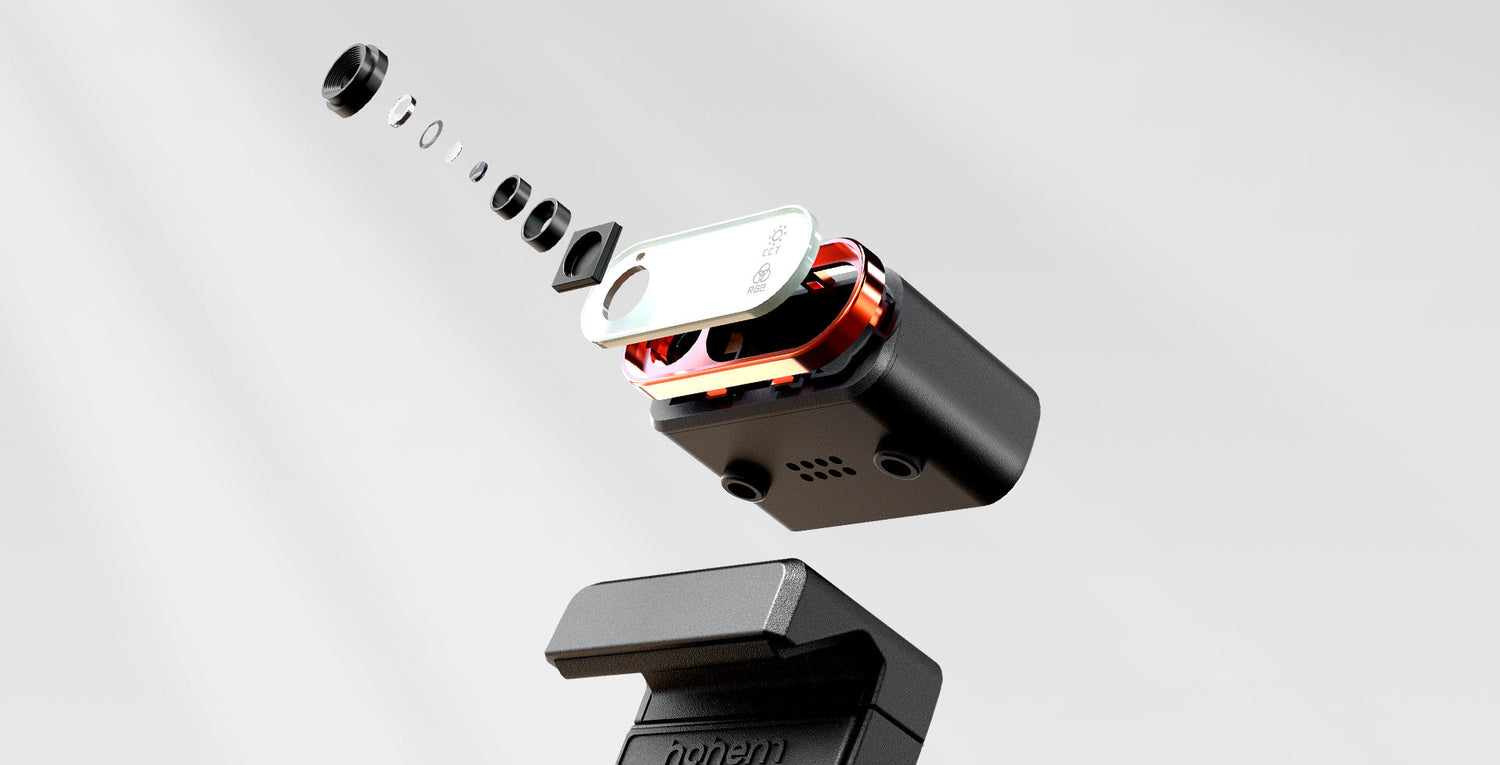
Why AI Tracking Matters in Modern Camera and Mobile Gimbals
Capturing cinematic, perfectly framed footage used to require a full production crew — now, all you need is a gimbal with built-in AI tracking. Whether you’re filming travel vlogs, product demos, or creative social content, AI tracking transforms how creators shoot. But not all “smart” gimbals are equal. Some offer advanced facial recognition and gesture control, while others struggle with real-world motion or lighting.
If you’re trying to decide between a camera gimbal with AI tracking and a mobile gimbal with AI tracking, this guide breaks down which one fits your creative workflow, travel style, and budget.
Choosing the Best AI Tracking Gimbal for You
AI tracking has turned gimbals into intelligent filming assistants. For mobile creators and travelers, AI-powered smartphone gimbals like the Hohem iSteady V3 Ultra provide the best balance of accuracy, automation, and affordability. For professional filmmakers, a camera gimbal offers deeper control and sensor precision but requires more setup and cost.
If you film solo, shoot content for TikTok, YouTube, or travel vlogs — go with a mobile AI gimbal. If you handle client shoots or cinematic productions — a camera gimbal is worth the extra weight and price.
Who This AI Tracking Comparison Is For
Who it’s for:
- Filmmakers, vloggers, and content creators looking for smarter stabilization.
-
Travelers and social media creators who want autonomous tracking and framing.
When to use:
- When choosing your next gimbal upgrade or replacing an older non-AI model.
-
When evaluating whether a smartphone setup is enough for your shooting goals.
When not to use:
-
If you shoot mostly static, tripod-based footage or professional studio scenes that don’t require tracking.
Evaluation Criteria for AI Tracking Gimbals
Here’s what we used to compare camera vs mobile AI tracking gimbals:
- Cost: Upfront price and accessories.
- Ease of Use: Time-to-value and setup speed.
- Tracking Accuracy: How well AI keeps subjects in frame.
- Device Compatibility: Smartphones vs DSLRs/mirrorless.
- Smart Integrations: Gesture control, app automation, and remote tracking.
-
Portability: Weight and travel readiness.
Quick Verdict: Which AI Gimbal Fits You Best?
- Choose a Mobile AI Gimbal - if you’re a vlogger, traveler, or solo creator who films frequently on your phone.
- Choose a Camera AI Gimbal - if you shoot professional, commercial, or cinematic projects requiring interchangeable lenses.
- Choose a Hybrid Gimbal - if you use both smartphones and compact cameras.
Pro Tip: The Hohem iSteady V3 Ultra combines 360° AI tracking, gesture control, and multi-device compatibility, making it one of the most versatile gimbals for everyday creators.
Camera Gimbal vs Mobile Gimbal with AI Tracking: Side-by-Side Comparison
|
Criteria |
Camera AI Gimbal |
Mobile AI Gimbal |
|
Tracking Method |
External sensors or camera-based AI |
Built-in AI vision sensor |
|
Device Compatibility |
DSLRs, mirrorless |
Smartphones (iPhone, Android) |
|
Setup Time |
Manual calibration needed |
Plug-and-play, auto-calibration |
|
AI Features |
Object tracking, lens-based follow |
Face/object tracking, gesture control |
|
App Integration |
Limited third-party |
Advanced creative apps (Hohem Joy, DJI Mimo, etc.) |
|
Portability |
Heavy and gear-dependent |
Compact, foldable, travel-ready |
|
Cost Range |
$400–$800 |
$150–$300 |
|
Best For |
Cinematic filmmakers |
Vloggers, influencers, travelers |
Deep Dive: Camera AI Gimbals
Strengths:
- Precision-engineered for professional cameras with superior tracking sensors.
- Perfect for cinematic workflows requiring lens control, zoom, and focus pulls.
-
Excellent balance with heavy setups and multiple accessories.
Tradeoffs:
- Bulky, with a steeper learning curve.
- Higher cost and requires accessories like tripods and mounting plates.
-
Limited portability for travel vloggers or casual creators.
Pitfalls:
- AI tracking depends heavily on external camera software or sensors.
-
Can lose tracking in low contrast or fast-moving scenes.
Best for: Commercial filmmakers, documentary videographers, and professionals shooting with mirrorless or DSLR setups.
Deep Dive: Mobile AI Gimbals
Strengths:
- Built-in AI vision sensors for instant 360° subject tracking.
- Gesture control lets you start recording or change angles hands-free.
- Compact and foldable, ideal for travel and vlogging.
-
Excellent for vertical shooting — perfect for Reels, TikToks, and Shorts.
Tradeoffs:
- Limited payload capacity (smartphones only).
- Tracking performance depends on app updates and firmware.
-
Less effective in extreme low-light conditions.
Pitfalls:
- Over-reliance on app connectivity; may require Bluetooth re-pairing occasionally.
Best for: Solo creators, travel vloggers, and anyone filming fast-paced social content.
AI Gimbal Feature Checklist: Must-Haves vs Nice-to-Haves
|
Category |
Must-Haves |
Nice-to-Haves |
|
AI Tracking |
Face & object detection |
Gesture and voice control |
|
Stabilization |
3-axis motorized |
Inception / FPV modes |
|
Compatibility |
iPhone & Android |
GoPro / small camera mount |
|
App Ecosystem |
Real-time control & editing |
Auto templates & effects |
|
Battery |
6–10 hours runtime |
Power bank recharging |
|
Portability |
Foldable design |
Built-in mini tripod |
Tip: Choose a gimbal with independent AI tracking hardware, not one that relies entirely on your phone camera for detection — this ensures smoother results even when you switch apps.
Cost and ROI: Which Gimbal Gives You More Value?
|
Creator Type |
Gimbal Type |
Cost |
ROI / Key Benefit |
|
Travel Vlogger |
Mobile AI Gimbal |
~$250 |
Lightweight + AI automation = pro-quality solo footage |
|
Professional Filmmaker |
Camera AI Gimbal |
~$700 |
Precision tracking for high-end projects |
|
Hybrid Creator |
Multi-Device Gimbal |
~$350 |
Flexibility for both phone and compact cam shooting |
Insight:
A mobile AI tracking gimbal offers about 80% of the professional performance of a camera gimbal at less than half the price, while being easier to carry anywhere.
Implementation Tips & Common Risks
- Lighting: AI tracking works best in well-lit environments; avoid harsh backlight.
- Movement: Maintain a clear line of sight between the gimbal’s sensor and subject.
- Battery: Keep your gimbal and phone charged — AI processing drains more power.
- Firmware: Update regularly for improved tracking algorithms.
-
Calibration: Rebalance when switching devices or phone cases to prevent drift.
FAQ: Common AI Tracking Gimbal Questions
What does AI tracking actually do on a gimbal?
It uses visual recognition to identify and follow a subject automatically, keeping it centered in your frame.
Can mobile AI gimbals track subjects without an app?
Yes — some, like the Hohem iSteady V3 Ultra, include onboard AI vision sensors that track independently of phone apps.
Are AI tracking gimbals good for live streaming?
Absolutely. They can follow your movement during live sessions without a cameraman.
Do camera gimbals have AI built in?
Some integrate with external tracking modules or camera firmware, but most rely on external apps or add-ons.
Can AI tracking handle multiple faces or fast action?
Advanced models can prioritize one subject or switch automatically based on gestures.
What’s the main limitation of AI tracking?
It can lose accuracy in low light or when the subject exits the frame too quickly.
Which AI tracking gimbal works best for iPhone 17 Pro?
The Hohem iSteady V3 Ultra, optimized for Apple’s newest camera system with enhanced AI recognition and gesture response.
Next Steps: Upgrade to Smarter Stabilization
AI tracking is no longer a luxury — it’s a must-have for modern creators who film solo or on the go. Whether you’re shooting travel reels, interviews, or cinematic B-roll, a gimbal that can follow your every move without manual input is a creative game changer.
Explore the Hohem iSteady Series — the ultimate collection of AI-powered gimbals for phones, cameras, and hybrid creators who demand smooth, intelligent, and cinematic results
Hinterlasse einen Kommentar
Alle Kommentare werden vor der Veröffentlichung geprüft.
Diese Website ist durch hCaptcha geschützt und es gelten die allgemeinen Geschäftsbedingungen und Datenschutzbestimmungen von hCaptcha.