
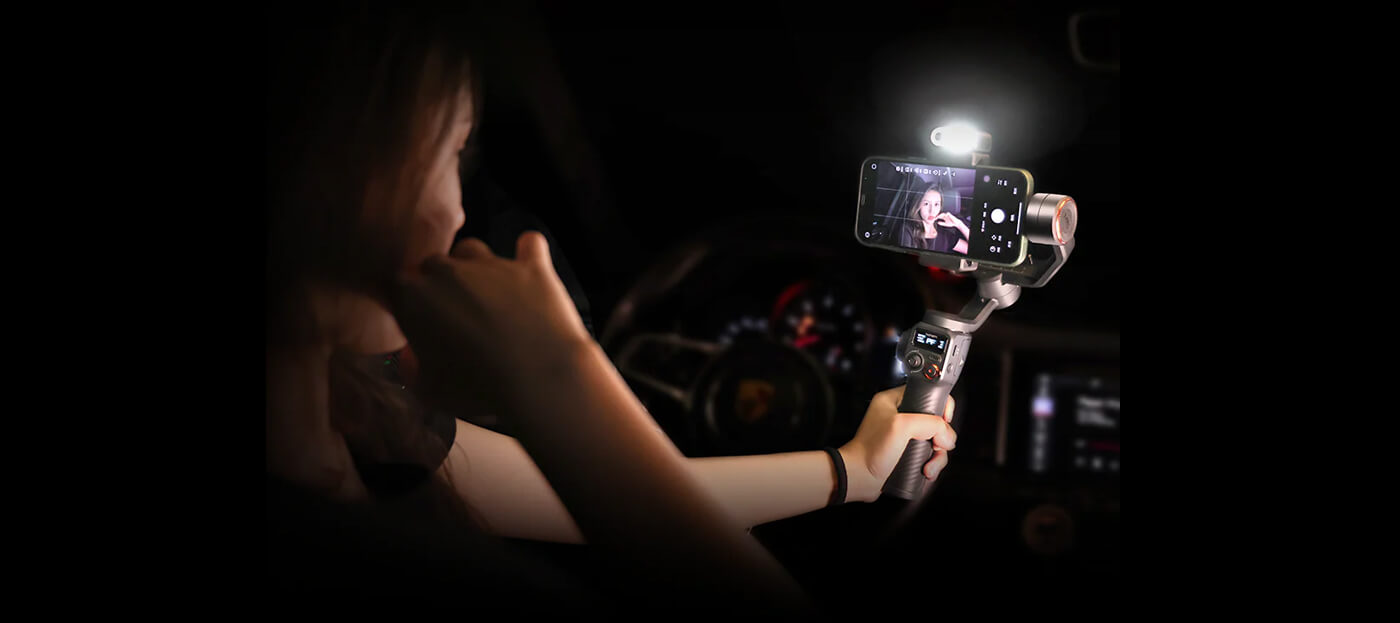
The Solo Creator’s Challenge
If you’re a solo creator, you know the struggle — filming yourself while keeping the shot steady, framed, and engaging. You want your content to look professional, but without hiring a crew or hauling around heavy camera gear. That’s exactly where the iPhone gimbal stabilizer changes the game.
Modern smartphone gimbals transform your phone into a portable production studio, letting you shoot smooth, cinematic videos anywhere. For vloggers, travel creators, and independent filmmakers, the right gimbal turns “one person with a phone” into a one-person production team.
Why the iPhone is Already a Creator’s Camera
Apple’s iPhones have redefined what’s possible in mobile filmmaking. With 4K resolution, cinematic mode, and advanced image stabilization, the iPhone already rivals dedicated cameras in clarity and color. But handheld shooting still has limits — even the steadiest hand can’t eliminate micro-shakes, especially when walking or panning.
That’s why pairing your phone with a gimbal for iPhone like the Hohem iSteady M7 is a game changer. It stabilizes every movement across three axes, delivering ultra-smooth, professional-looking footage. Add smart features like AI tracking and gesture control, and suddenly your iPhone behaves like it’s mounted on a professional film rig, all operated by you alone.
What a Modern iPhone Gimbal Should Deliver
Not all smartphone gimbals are built the same. For solo creators, look for features that make your filming faster, smoother, and more intuitive.
Payload & Compatibility
Choose a gimbal that supports your iPhone model — including cases and clip-on lenses. The best gimbals, like the Hohem iSteady V3 Ultra, handle up to 400 g with ease, leaving room for accessories.
Smart Stabilization
Go for a 3-axis motorized stabilizer with advanced algorithms (like iSteady 9.0). This ensures fluid, shake-free motion whether you’re walking, running, or panning.
AI Tracking & Gesture Control
As a solo creator, you’re both the talent and the camera operator. AI tracking locks onto your face or body, automatically keeping you in frame, while gesture control lets you start recording with a wave of your hand — no second person required.
Portability & Foldable Design
Creators move fast. A foldable, lightweight design makes your gimbal travel-friendly and ready to deploy in seconds.
App Integration & Remote Features
Apps like Hohem Joy connect your gimbal to your iPhone, letting you adjust angles, shooting modes, and framing through a touchscreen or remote — perfect for solo filming.
Real-World Scenarios for Solo Creators
Vlogging on the Go
Walking through a busy market or along a scenic trail? A gimbal stabilizer keeps your video smooth while letting you move naturally. Your audience experiences the scene like they’re walking beside you.
Product Reviews or Tutorials
Need close-up shots or consistent framing? Set your iPhone on a tripod with the gimbal’s built-in remote, activate AI tracking, and stay perfectly centered while demonstrating your product hands-free.
Travel & Adventure Content
When every second counts — catching a sunrise, a waterfall, or a bustling city skyline — a gimbal ensures your shots are stable and cinematic without carrying a full camera setup.
Social Media Filming
From TikTok transitions to Instagram Reels, vertical shooting has become the standard. Most iPhone gimbals now switch between portrait and landscape mode instantly, so you can film for multiple platforms effortlessly.
How to Maximize Your iPhone + Gimbal Setup
Step 1: Mount & Balance
Secure your phone in the clamp and ensure it’s balanced before powering on. A balanced setup extends motor life and ensures smooth stabilization.
Step 2: Calibrate & Connect
Connect to the gimbal app, run a quick calibration, and select your preferred shooting mode (Follow, Pan, or FPV).
Step 3: Use Tracking for Solo Shots
Activate face or object tracking. Walk, talk, or move naturally while the gimbal keeps you in perfect frame — ideal for solo vloggers and instructors.
Step 4: Play with Movement
Try dynamic shots like push-ins, pans, or crane-style reveals to give your videos motion and depth. These cinematic moves make even simple content look professional.
Step 5: Edit Smart
Many gimbal apps include quick templates and auto-editing tools. You can trim clips, add transitions, and publish directly to social platforms.
Creative Moves That Add Professional Flair
Push-In / Pull-Out: Move the gimbal forward or backward while maintaining focus on the subject. Perfect for emotional storytelling.
Tracking Shot: Follow your subject as they move, keeping them centered while the background flows smoothly.
Reveal Shot: Start behind an object, then move the gimbal to unveil your scene dramatically.
Inception Spin: Rotate the gimbal 360° for an eye-catching transition often used in music videos.
Timelapse / Hyperlapse: Mount the gimbal on its mini tripod to capture motion over time with perfect stability.
These moves aren’t just tricks — they’re storytelling techniques that make your videos stand out.
Why the Right Gimbal Multiplies Your Productivity
With a traditional setup, you’d need a camera operator, stabilizer rig, and editing assistant. The right handheld phone stabilizer eliminates all of that. You can:
- Film, frame, and track yourself automatically.
- Shoot, edit, and publish from one device.
-
Produce content faster and with consistent quality.
This is why today’s iPhone gimbals aren’t just accessories — they’re creative enablers.
Total Cost & ROI Example
|
Creator Type |
Setup |
Approx. Cost |
ROI / Value |
|
Solo Vlogger |
iPhone + Mobile Gimbal |
~$200 |
Professional results without a team |
|
Freelance Creator |
iPhone + Lighting + Gimbal |
~$300 |
More engagement & client opportunities |
|
Filmmaker |
Camera + Gimbal |
~$700 |
Full-scale productions, commercial output |
Insight: For most creators, a $200 investment in a quality iPhone gimbal delivers studio-level stability and more creative freedom, without hiring a crew or renting equipment.
Implementation Tips & Common Mistakes
- Keep Firmware Updated: Gimbal makers frequently improve tracking and stabilization.
- Don’t Overload the Gimbal: Avoid heavy lenses or attachments that exceed payload.
- Mind Lighting Conditions: AI tracking performs best in evenly lit environments.
- Practice Smooth Moves: Avoid jerky hand motions; let the gimbal glide.
- Always Recalibrate After Travel: Temperature and vibration changes can affect balance.
FAQ: Solo Creator & iPhone Gimbal Questions
Do I need a gimbal if my iPhone already has stabilization?
Yes. Optical stabilization smooths minor shakes; a gimbal handles full-range motion and creative angles.
Can a gimbal help me film myself?
Absolutely. Use AI tracking and gesture control to stay in frame without an assistant.
Is a smartphone gimbal heavy?
Most weigh under 400 g — perfect for travel or handheld shooting.
Can I mount accessories like lights or mics?
Many gimbals offer cold-shoe mounts or adapter kits.
Is it hard to learn?
Not at all. Most users master it within an hour of practice.
Which gimbal is best for iPhone 17 Pro?
The Hohem iSteady V3 Ultra — optimized for the newest iPhones with AI tracking and touchscreen control.
From Solo Creator to One-Person Studio
If you’re ready to elevate your solo filming setup, the Hohem iSteady M7 Big Phone Gimbal is built for creators like you. With professional-grade 3-axis stabilization, AI tracking, and powerful motor torque designed for larger smartphones, it ensures every shot stays steady and cinematic — no camera crew required.
Today’s solo creators aren’t limited by gear — they’re empowered by it. With a gimbal for iPhone, you can direct, shoot, and star in your own videos without help. The right stabilizer doesn’t just steady your footage — it multiplies your creative potential.
Explore the Hohem iSteady Series and see how the right iPhone gimbal turns you into a one-person production team ready to capture any story, anywhere.
Hinterlasse einen Kommentar
Alle Kommentare werden vor der Veröffentlichung geprüft.
Diese Website ist durch hCaptcha geschützt und es gelten die allgemeinen Geschäftsbedingungen und Datenschutzbestimmungen von hCaptcha.